Secure Team Cloud Storage for Files, Audits & Proof
Safeguard your company’s historical records with TrackNesty and our encrypted team cloud storage. Store proof-of-work captures, timesheet reports, and project deliverables with automated retention rules and role-based permissions.
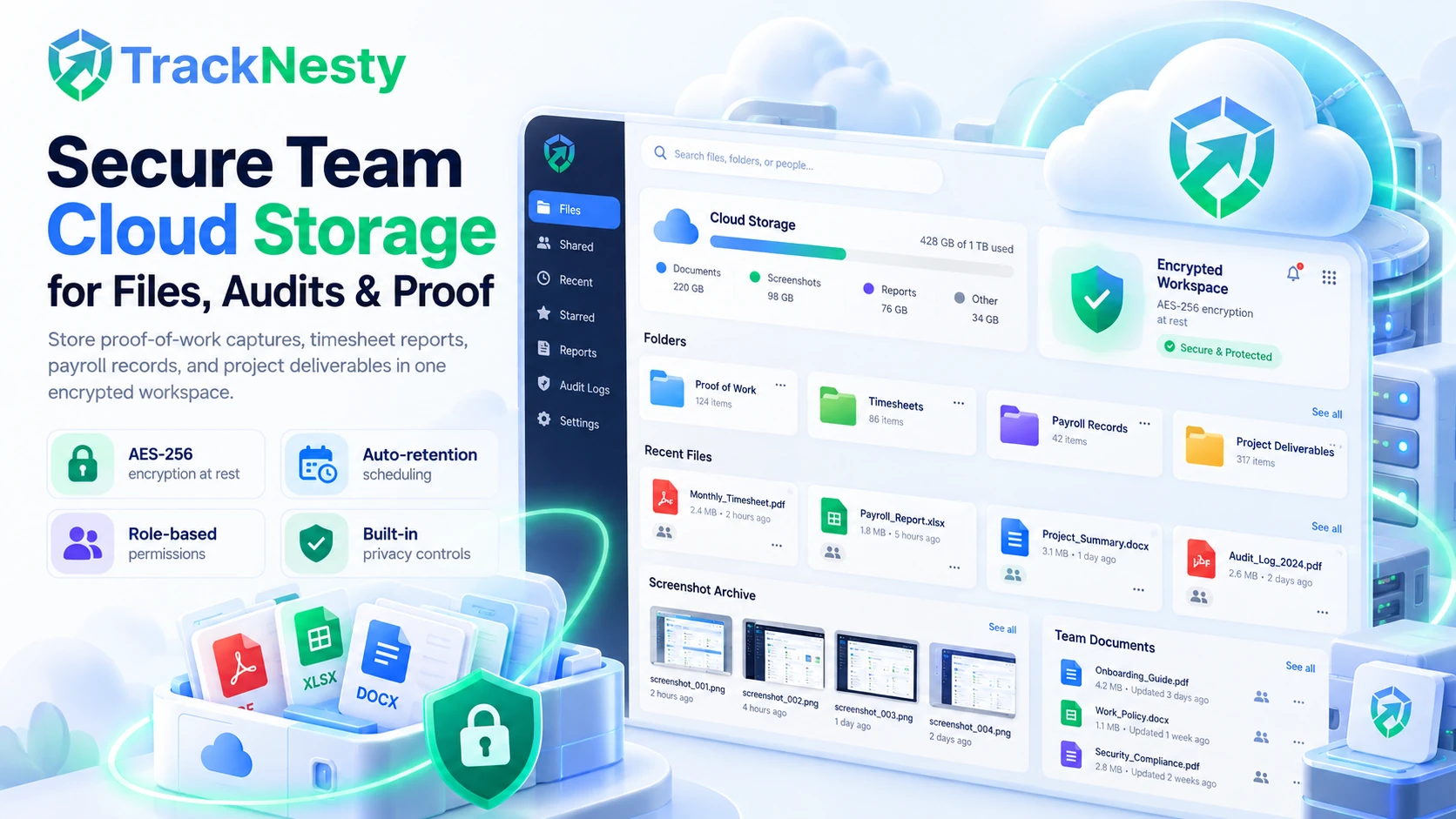
Why Growing Enterprises Rely on Tracknesty Storage
Consolidate your telemetry, proof archives, and payroll reports inside one secure hub connected to employee monitoring software, time tracker with screenshots, and automated payroll.
Encrypted Proof-of-Work Archives
Automatically catalog desktop captures from our time tracker with screenshots into searchable employee albums with timestamp verification.
Role-Based Access & Permissions
Set strict viewing rights with role-based access so only designated supervisors can inspect screenshots or payroll records, preventing data leaks.
Configurable Retention Windows
Define custom screenshot retention schedules (30, 60, 90, 180, 365 days) or auto-purge settings to help support compliance with organizational and international privacy policies.
Centralized Payroll & Report Vault
Store all payslip PDFs, tax logs, and hourly calculation summaries generated by automated payroll in one unified, encrypted cloud workspace.
Tamper-Evident Audit Logging
Structured activity trails record file views, timesheet edits, and downloads, providing reliable documentation for internal and operational reviews.
Instant Global Metadata Search
Filter and retrieve specific files, timesheets from employee timesheet software, or proof captures in seconds by employee, project tag, or date range.
Unlike fragmented setups where managers upload sensitive timesheets or screenshot records to unmonitored consumer drives, Tracknesty provides built-in enterprise cloud storage. Your data is encrypted at rest, restricted by role hierarchies, and purged automatically according to your compliance schedules.
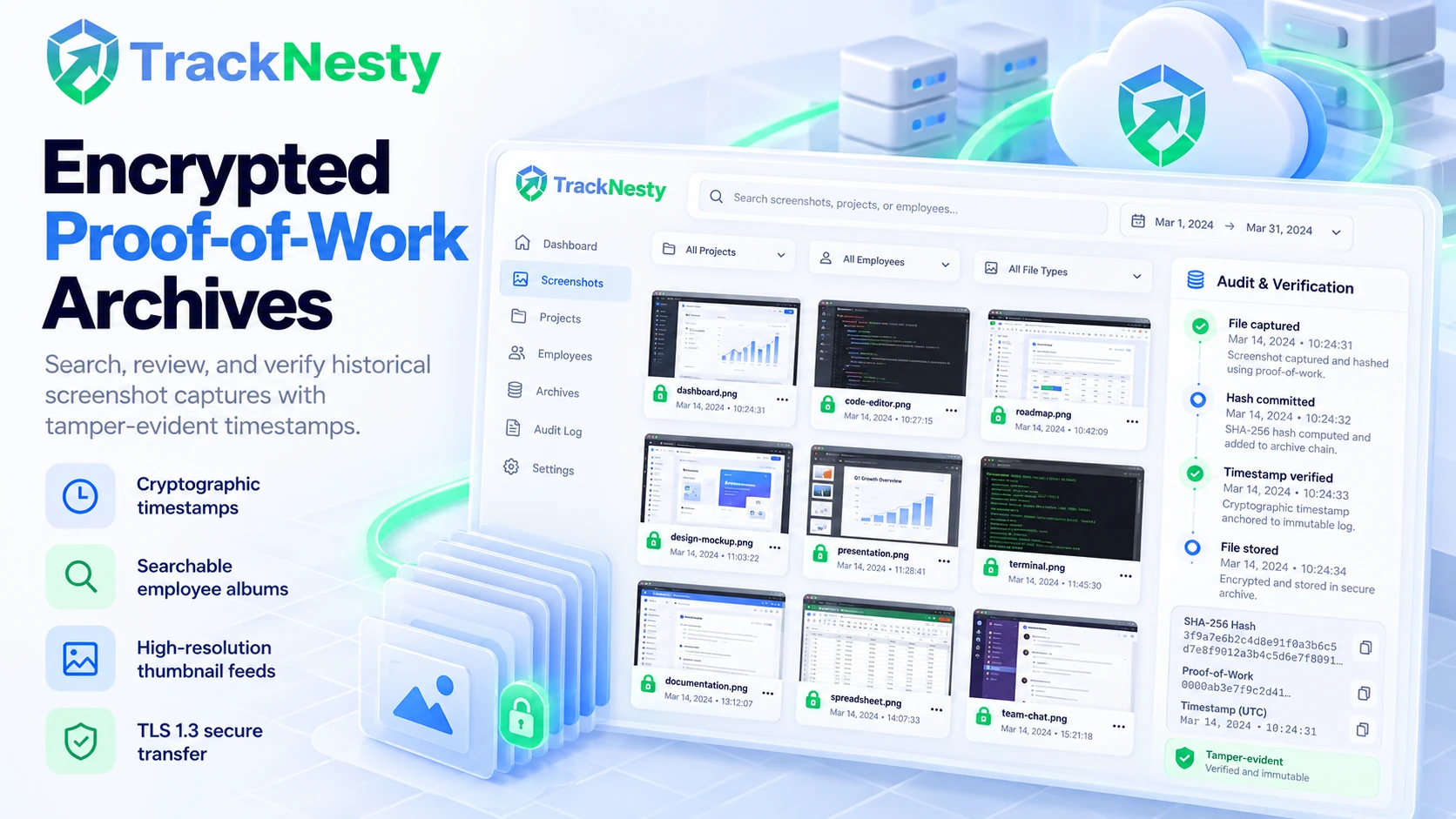
Encrypted Proof-of-Work Archives with Tamper-Evident Timestamps
When clients question billed project hours, you need instant access to historical proof. Tracknesty automatically indexes and stores screenshot captures with cryptographic metadata stamps, creating an airtight audit trail.
- Cryptographic Timestamps: Every capture is tagged with exact time, active task, and project IDs via our time tracker with screenshots.
- On-Device Encryption: Captures are encrypted on agent workstations before transmission across TLS 1.3 tunnels.
- High-Resolution Thumbnail Feeds: Browse through months of employee milestone captures without downloading heavy image archives.
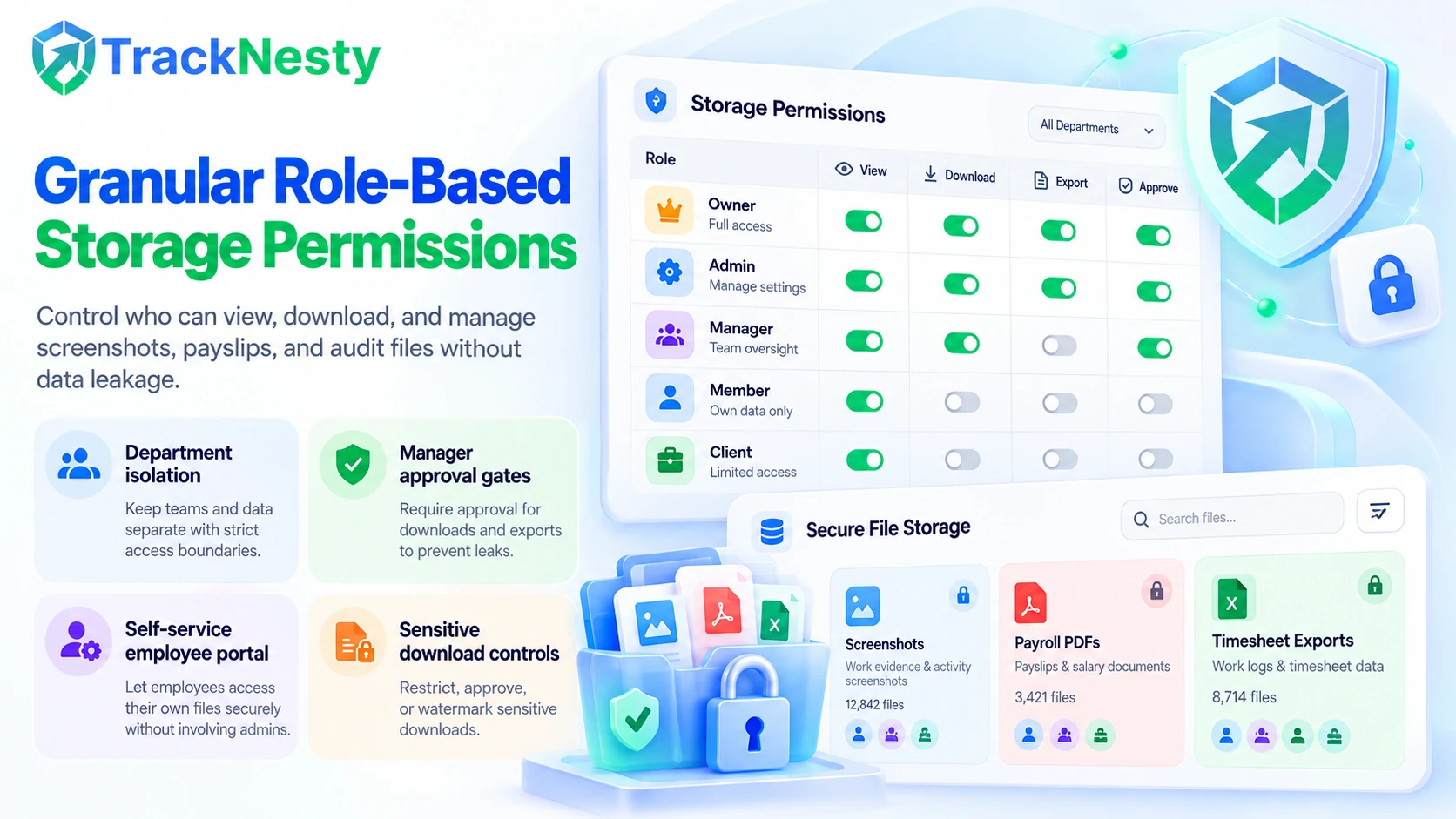
Granular Role-Based Permissions & Zero Internal Data Leakage
Not all team members should have access to executive compensation files or peer screenshots. Tracknesty enforces strict multi-level role hierarchies ensuring employees only access files pertinent to their assigned role.
- Department Isolation: Segment storage access between engineering, HR, marketing, and finance via role-based access.
- Manager Approval Gates: Require dual-authorization before downloading sensitive historical timesheet exports.
- Self-Service Employee Portal: Workers can review their personal attendance and download past payslips with zero administrative friction.
Compliance Data Retention & Automated PDF Export Vault
Different international labor regulations and privacy standards enforce varying data storage limits. Tracknesty provides automated retention engines where administrators configure exact purge schedules to support organizational data minimization policies.
- Custom Auto-Purge Windows: Automatically delete screenshots after 30, 60, 90, or 365 days while preserving text timesheet ledgers.
- Permanent Payroll Archives: Retain generated payslip PDFs and overtime audits from automated payroll indefinitely for tax filings.
- 1-Click Bulk Export: Export encrypted zip packages of quarterly timesheets directly for external legal audits.
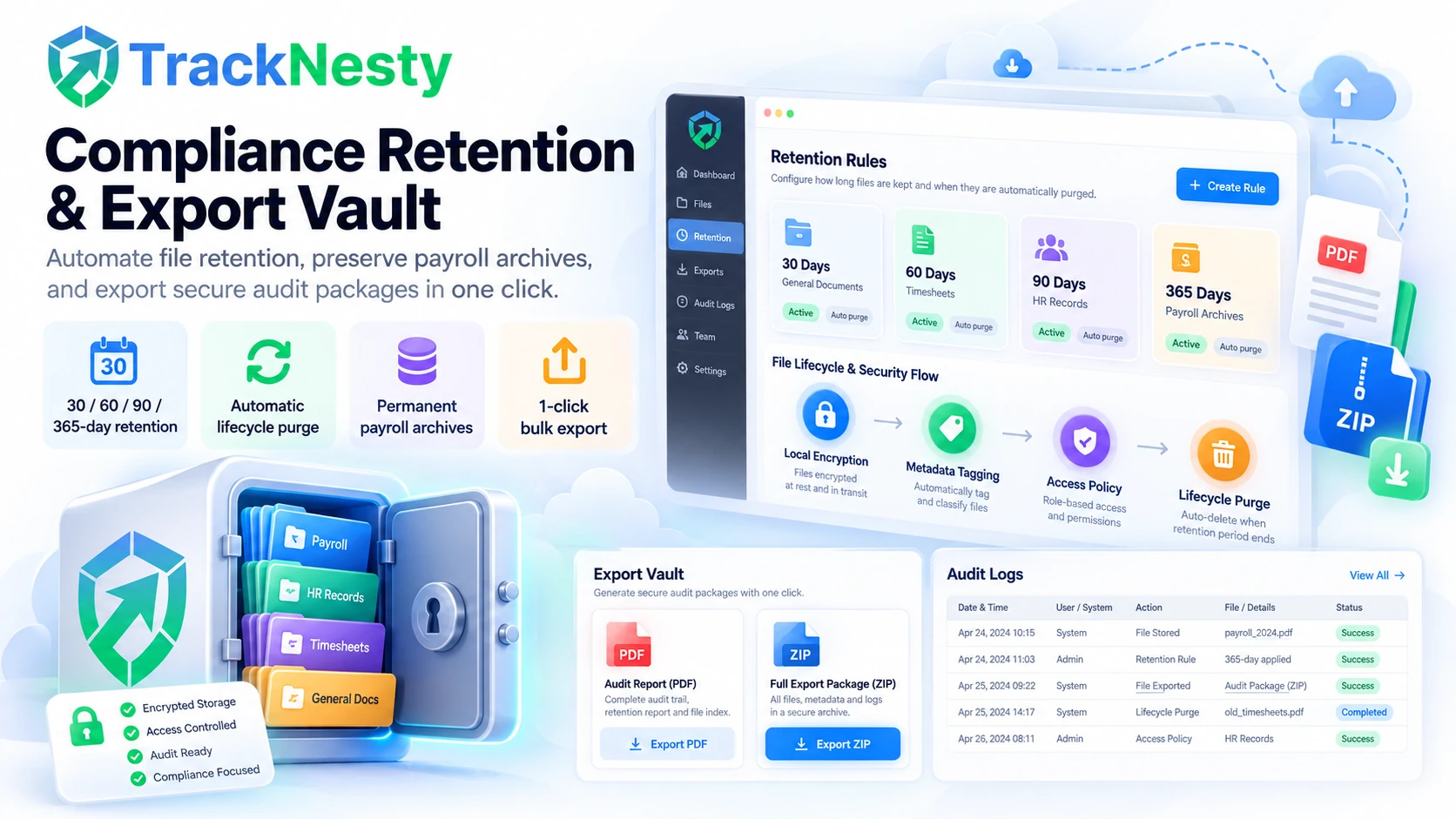
4-Stage Enterprise Storage Lifecycle
From workstation capture to automated compliance purge.
Local Encryption
Captures and timesheet logs are compressed and encrypted locally before transmitting.
Metadata Tagging
Files are cataloged by client, project, team member, and cryptographic timestamp.
Access Policy
Permissions dictate who can view, download, or review audit captures in real time.
Lifecycle Purge
Automated retention rules safely purge captures upon expiration, ensuring compliance.
Tracknesty Cloud Storage vs Generic Storage
See why purpose-built workplace storage outperforms fragmented consumer cloud drives.
| Cloud Storage Capability | Tracknesty Team Cloud Storage | Generic Cloud (Drive / Dropbox) | Local Hard Drives |
|---|---|---|---|
| Proof-of-Work Integration | Automatic sync: captures, timestamps, tasks | Requires manual manual export and folder upload | Scattered across employee laptops |
| Data Encryption Standard | AES-256 at rest, TLS 1.3 in transit | Standard AES (requires separate setup) | Unencrypted; vulnerable to device loss |
| Automated Retention Rules | Configurable 30, 90, 365-day auto-purge | Requires expensive enterprise add-ons | Manual file deletion required |
| Role-Based Viewing Rights | Granular manager vs supervisor permissions | Broad folder-level share links | Zero centralized access control |
| Tamper-Proof Audit Logging | Immutable record of file views & downloads | Available only on costly corporate plans | None |
| Timesheet & Payroll Sync | Direct link to timesheet and payroll vaults | Completely disconnected third-party tool | Excel spreadsheets prone to corruption |
| Pricing Model | $5.00 / user / month (storage included) | $6.00 – $15.00 / user + monitoring costs | Hidden risk of catastrophic data loss |
Cloud Storage Engineered for Business Governance
See how legal officers, agency directors, and HR leaders depend on Tracknesty.
Labor Law Audit Trails & Retention Controls
Maintain verified, immutable records of employee hours and overtime calculations to protect against labor disputes with employee attendance software.
Searchable Proof-of-Work Client Repositories
Archive months of design, coding, and marketing milestone captures. Resolve invoice questions in minutes with time tracking for marketing agencies.
Centralized Tax & Compensation Document Vault
Preserve all historical payslips, bonus ledgers, and deduction receipts generated by automated payroll in an encrypted corporate repository.
Zero Data Leakage Across Global Contractors
Collaborate securely across international time zones without exposing corporate drives to external contractors via remote workforce software.
Frequently Asked Questions About Team Cloud Storage
Everything you need to know about encryption standards, retention schedules, and access permissions.
What is stored inside Tracknesty team cloud storage?
Team cloud storage preserves your team’s historical screenshot captures, daily timesheet reports, payroll tax summaries, project deliverables, and tamper audit logs with zero external file host dependencies.
How secure is the data stored in team cloud storage?
All files are encrypted both in transit (TLS 1.3) and at rest (AES-256). Tracknesty provides robust security controls designed to support SOC 2, ISO 27001, and GDPR compliance workflows.
Can managers configure auto-retention or deletion policies?
Yes. Admins can set automated retention windows (e.g., retain screenshots for 30, 90, or 365 days) to optimize storage quotas and comply with company data policies.
Who can access or download files in team cloud storage?
Access is managed via granular role-based permissions. Only authorized administrators and team managers can view or download audit logs and historical captures.
Can employees view their own stored screenshots and records?
Yes! Employees have transparent self-service access to review their own captures, timesheets, and downloadable PDF payslips directly from their desktop and web app.
Does cloud storage require third-party AWS or Google Drive keys?
No. Tracknesty provides fully managed, zero-configuration cloud storage infrastructure. You do not need to configure external S3 buckets or pay separate hosting invoices.
How fast can team files and audit logs be retrieved?
With our global CDN and indexed metadata tagging, managers can search and retrieve specific screenshot captures or timesheet files in milliseconds.
How much does Tracknesty team cloud storage cost?
Team cloud storage is fully included in Tracknesty at $5 per user per month (or $4.17/mo billed annually) with unlimited historical timesheet retention.
Secure Your Team Files with Tracknesty
Safeguard proof-of-work captures, timesheets, and payroll records in an encrypted enterprise cloud vault with zero configuration friction.