Real-Time Employee Timesheet Software & Management Platform
Ditch messy spreadsheets. Tracknesty is modern timesheet tracking software and an automated timesheet tracker that records active hours in real time with live tickers, provides complete timesheet management software with dual List & Weekly Matrix views, breaks down project tasks, and exports verified payroll in 1 click.
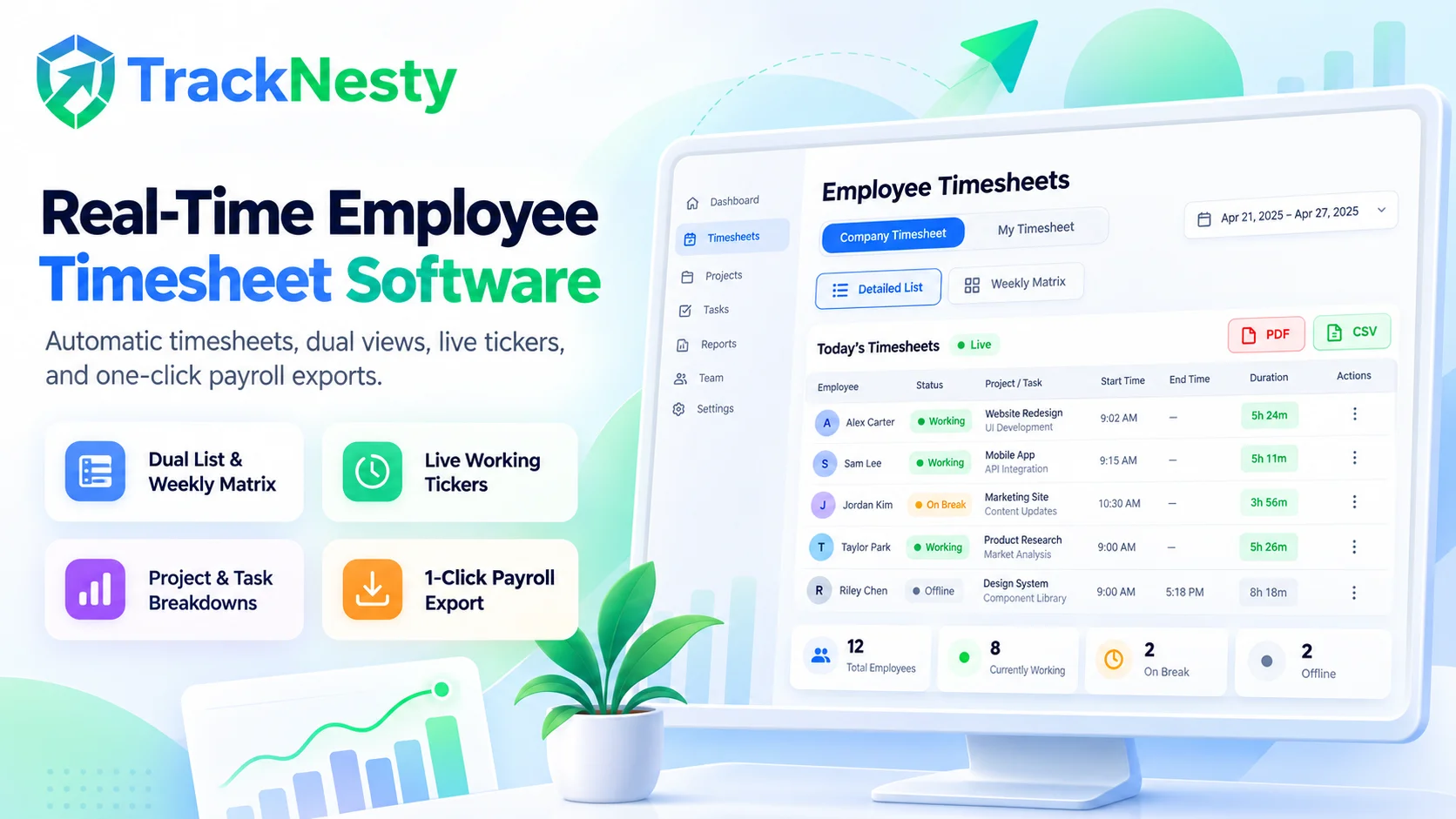
Complete Timesheet Management Software for Growing Teams
From second-by-second live hour tracking to multi-dimensional filtering, our intelligent timesheet tracker and timesheet tracking software engine is built for full workplace transparency and effortless payroll.
Dual View Modes: List & Weekly Matrix
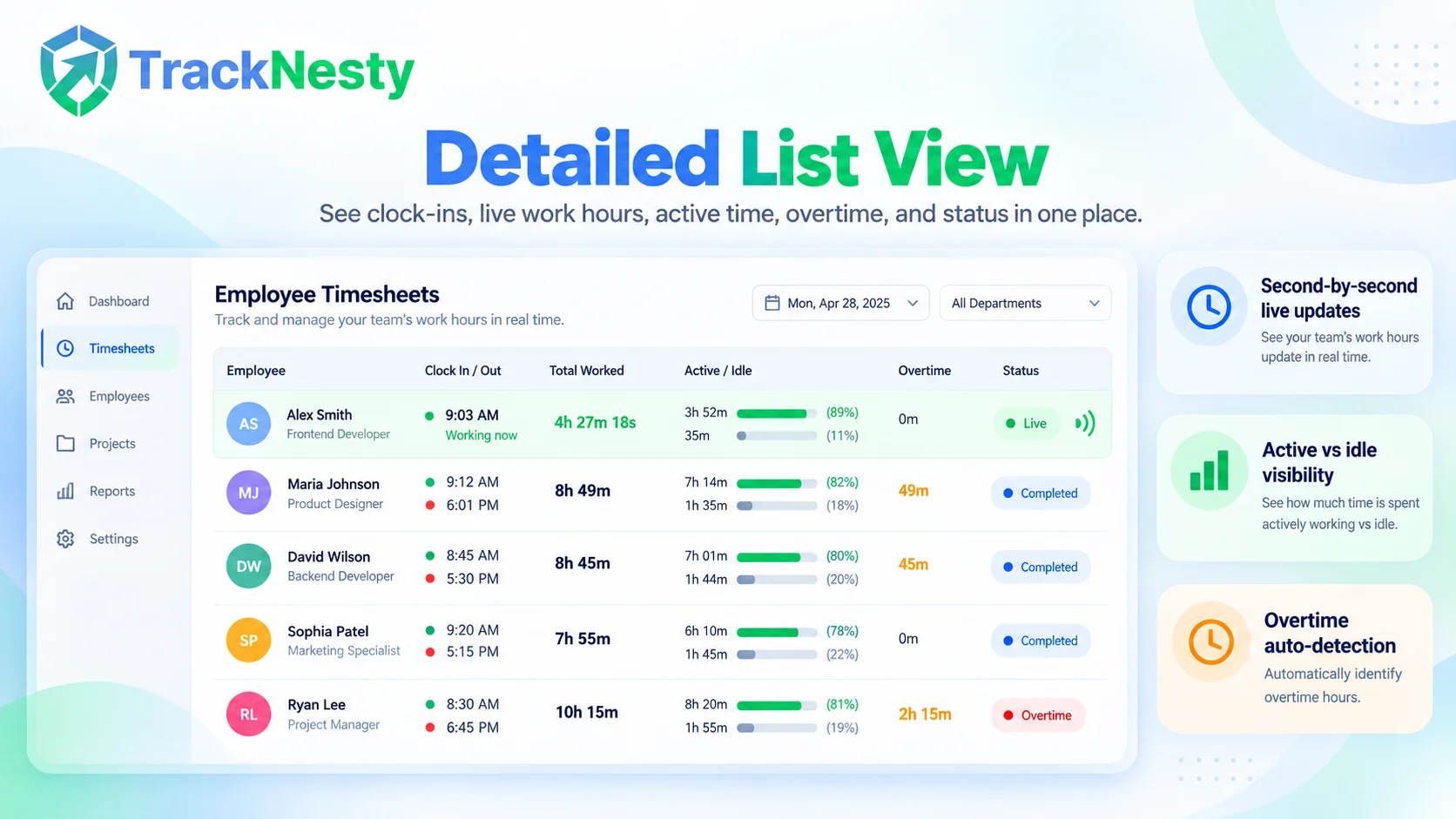
Switch instantly between a detailed Member List view with clock-in/out logs and a Monday–Sunday Weekly Matrix grid to analyze day-by-day hour distributions alongside employee attendance.
Live Real-Time Ticking Engine
Watch today’s work hours tick up live in real time. As team members work on desktop apps, their active time, overtime, and deficit dynamically recalculate second-by-second via employee time tracking.
Project & Task Time Distribution
Click any team member to open the Breakdown Modal. Inspect exact percentage shares across clients, projects, and tasks with visual multi-color distribution bars using project time tracking.
Interactive Activity & Break Timeline
Review the continuous day timeline visualizer. See exact green active work periods, yellow idle and meal breaks, and clock-out points to verify work continuity and detect idle gaps.
Automated Overtime & Deficit Detection
Tracknesty automatically calculates shift targets based on workspace schedules and holidays, instantly flagging overtime hours in purple and shift deficits in amber.
1-Click PDF & CSV Payroll Exports
Download verified timesheets with a single click in client-ready PDF format or formatted CSV spreadsheets ready for immediate sync with automated payroll and billing.
Tracknesty is built on mutual clarity. Normal employees automatically see My Timesheet to review their own daily clock-ins, project tasks, and overtime. Admins and team leads can toggle between company-wide timesheets or individual employee drilldowns with zero friction. Need visual verification? Explore TrackNesty's live screen monitoring software for real-time team support.
Monday–Sunday Matrix for High-Level Weekly Pacing
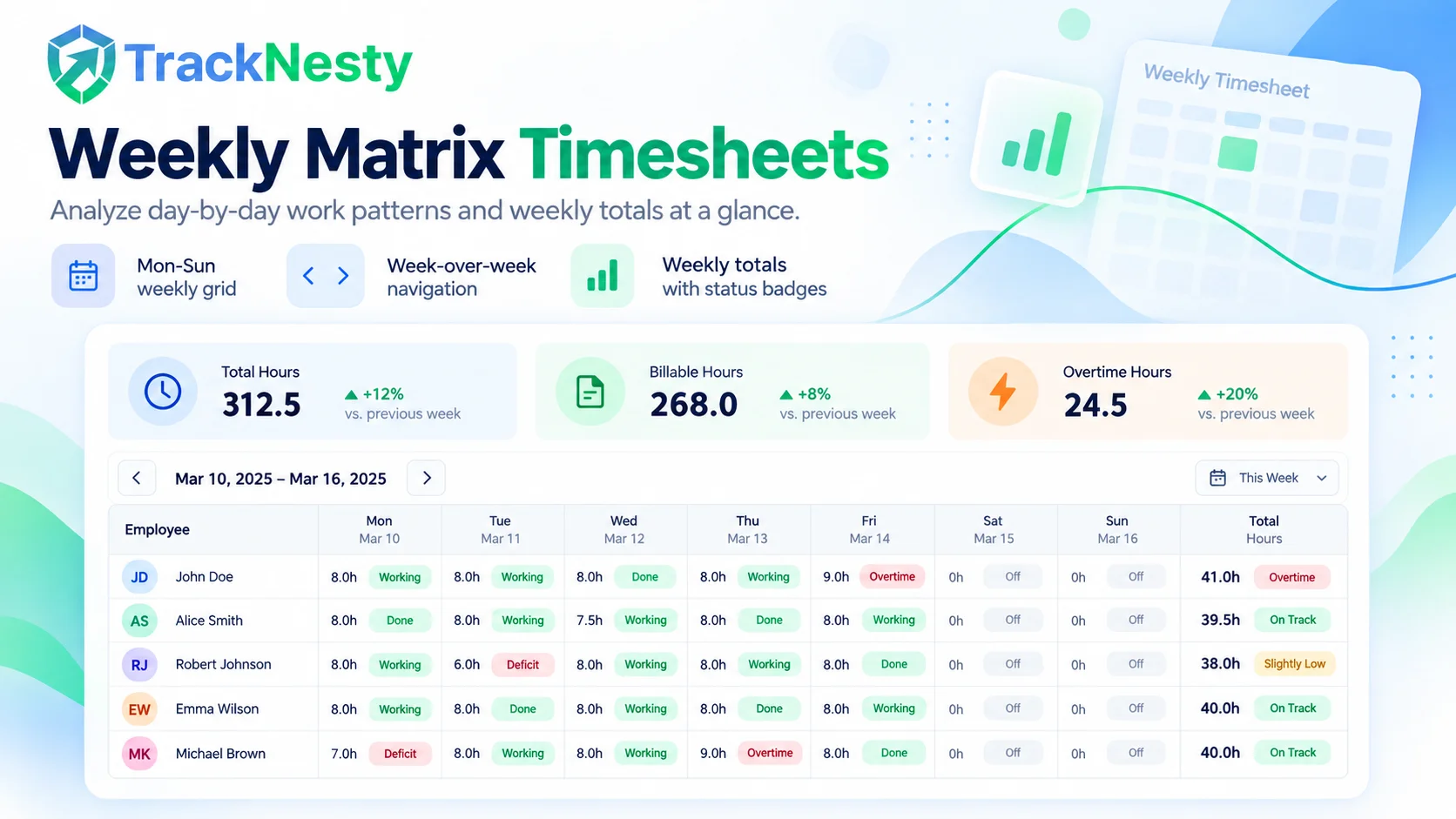
As your team's dedicated timesheet tracker, the Weekly Matrix grid displays Monday-to-Sunday work distributions at a glance. Navigate week-over-week, spot weekend hours, and compare planned shift targets against total weekly output with our comprehensive timesheet management software.
- 7-Day Calendar Columns: Dedicated daily hour cells with dynamic status chips (Completed, Working, Overtime, Deficit, Absent).
- Week-Over-Week Navigation: Easily flip back to previous weeks or forward with instant totals recalculation.
- Weekly Sums & Overtime Badges: Total weekly logged time with purple badges for overtime hours worked.
Deep Drilldowns into Tasks, Projects & Work Intervals
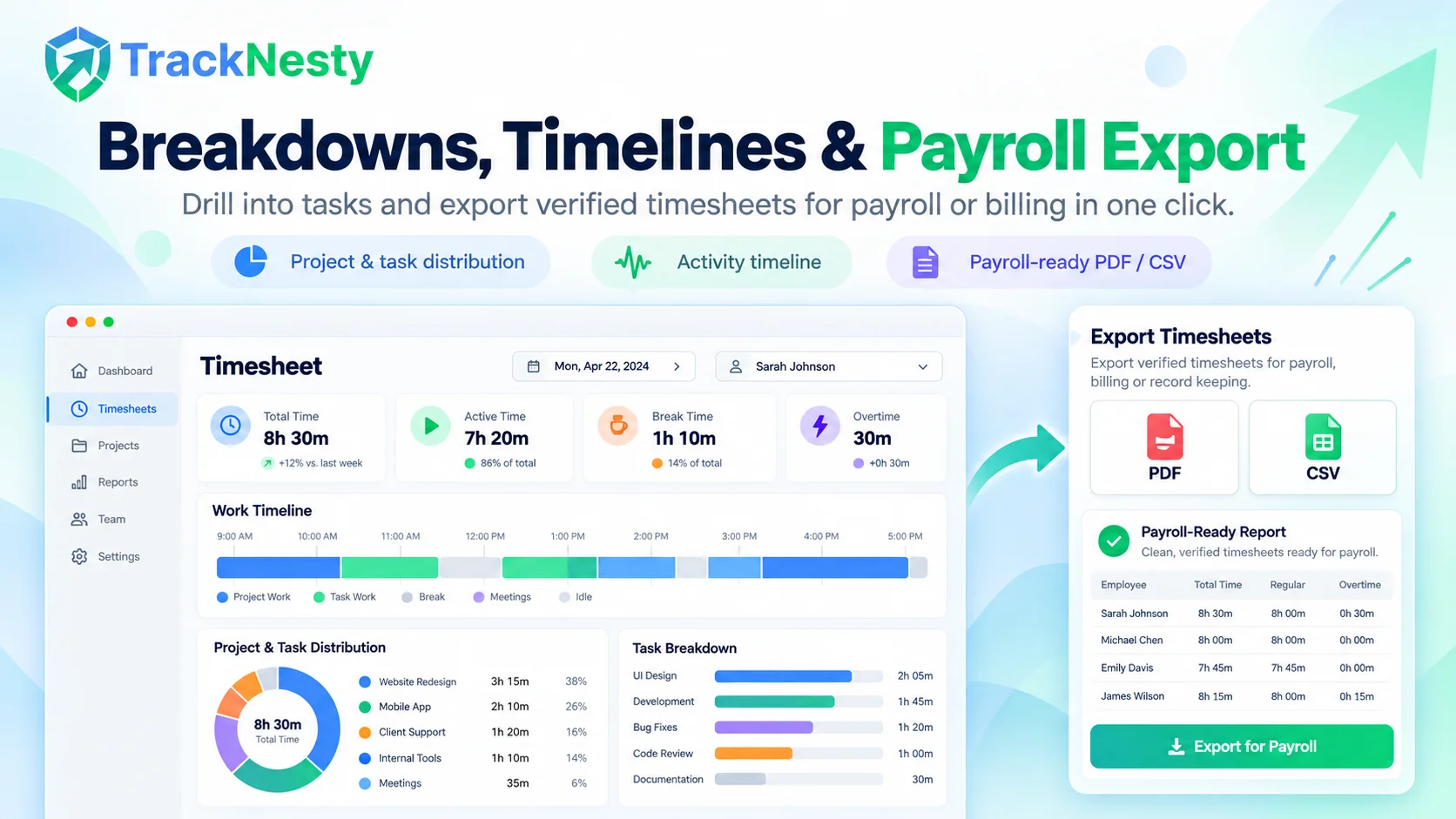
Click any team member's timesheet entry to see their exact work patterns. With built-in timesheet tracking software, there are no mystery hours or unallocated blocks—just transparent proof of project progress.
- Multi-Color Work Bar: Visual timeline distinguishing continuous active focus from idle lunch/tea breaks.
- Exact Task Hour Allocation: See specific tasks worked inside each project with percentage share calculation using project time tracking.
- Daily & Weekly Tab Modes: Switch tabs inside the modal to analyze individual daily sessions or overall weekly totals.
1-Click Executive PDF & CSV Timesheet Exports
Transform verified employee hours into payroll payouts and client invoices in seconds. Export clean, branded PDF timesheet summaries for management sign-off or detailed CSV files for your accounting platform.
- Executive PDF Timesheets: Formatted reports featuring company logo, employee breakdown, clock-in/out timestamps, and overtime summary.
- Direct Payroll Sync: Export structured CSV spreadsheets compatible with Quickbooks, Gusto, Deel, and automated payroll.
- Billable Hours Conversion: Attribute client-specific timesheet hours directly into invoices with time tracking and invoicing software.
4-Step Automated Timesheet Workflow
From desktop activity tracking to weekly matrix analysis and payroll disbursement.
Automatic Desktop Tracking
Our desktop timesheet tracker auto-logs active work hours and pauses during breaks with zero manual data entry.
Live Ticker & Status
Hours and active seconds update live on today’s timesheet with WORKING, COMPLETE, and OVERTIME status tags.
Review List or Matrix
Managers use the timesheet tracking software dashboard to inspect project tasks, weekly matrices, and attendance.
1-Click PDF / CSV Export
Download verified timesheets in PDF or CSV format for instant payroll reconciliation and client billing.
Tracknesty vs Spreadsheets vs Legacy Tools
See why high-performing remote teams replace messy Excel timesheets with Tracknesty’s dual-view software.
| Timesheet Capability | Tracknesty Timesheets | Excel & Google Sheets | Legacy Enterprise Tools |
|---|---|---|---|
| Timesheet View Layouts | Dual Views: Detailed List Table + Weekly Mon-Sun Matrix Grid | Static rows with easily broken column formulas | Single cramped list view or paid add-on calendar grids |
| Live Real-Time Hours Tracking | Dynamic live ticker auto-updates active seconds for working staff | Completely static; requires manual typing on Friday | Requires manual page refresh or desktop sync delays |
| Project & Task Breakdown | Interactive modal with visual distribution bars & task hours | Unlinked text notes with no automatic task attribution | Multi-click menus and basic unformatted summaries |
| Activity & Idle Timeline | Color-coded visual timeline (Active vs Break vs Idle periods) | No timeline visibility or break verification | Basic clock-in/out times without interval depth |
| Overtime & Deficit Calculation | Automatic schedule comparison with dedicated status badges | Manual calculator math prone to costly payroll errors | Complex manual setup or separate enterprise tier |
| Role-Based Privacy Scoping | Employees see 'My Timesheet'; Admins toggle Company vs Personal | Entire sheet exposed to anyone with document link | Confusing permission groups and complex role setup |
| Export & Reporting | Instant branded PDF summary & raw CSV data export in 1 click | Manual formatting and file conversions needed | Slow report generator queues and locked export types |
| Plan Availability & Cost | Included in Grow ($5/mo) & Team ($7/mo) with full features | Hidden cost in hours of payroll management | $15.00 – $35.00 / user / month |
Engineered for Remote Teams, Agencies & Enterprises
Whether managing a software squad, creative agency, or global support team, Tracknesty delivers painless timesheets.
Sprint Velocity & Task Contribution
Measure engineering hours across sprints without interruptions. Verify active IDE coding sessions versus meetings using time tracking for software development.
Client Retainer Hours & Milestone Billing
Attribute design and ad campaign hours to client accounts. Keep retainers profitable and eliminate client billing disputes using time tracking for marketing agencies.
Shift Attendance & Overtime Calculation
Track 24/7 rotational support shifts, automatically compute holiday/overtime multipliers, and export payroll across global timezones with time tracking for BPOs.
Effortless Weekly Timesheets Without Stress
Eliminate Friday panic. Employees focus on high-impact work while desktop agents maintain clean, tamper-proof daily logs with employee time tracking.
Frequently Asked Questions
Everything you need to know about Tracknesty’s dual views, live tickers, breakdown modals, and payroll exports.
What views are available in Tracknesty employee timesheet software?
Tracknesty provides two primary view modes: (1) Detailed List View, showing clock-in/out timestamps, total worked hours, active vs. idle/break time, overtime, and live status; and (2) Weekly Matrix Grid, displaying a Monday-to-Sunday breakdown of hours logged by day with weekly sums and overtime indicators.
How does the real-time live ticker work for active employees?
When viewing today’s timesheet, Tracknesty features a live real-time ticker that automatically updates worked seconds, active duration, and overtime/deficit calculations for all team members currently in WORKING status without needing to refresh the page.
What is the difference between "My Timesheet" and "Company Timesheet" views?
Normal team members and employees are automatically scoped to "My Timesheet" to inspect their personal hours, breaks, and project logs. Workspace Admins and Managers have a quick toggle switch to view the entire Company Timesheet matrix or filter down to any individual employee.
Can I see which specific projects and tasks hours were spent on?
Yes! Clicking any employee row opens the detailed Breakdown & Timeline modal. It features visual project time distribution bars, task contribution lists, and an interactive daily timeline showing exact work blocks versus break periods.
How does Tracknesty calculate Overtime and Deficit hours?
Tracknesty compares total logged work hours against each employee’s configured daily work schedule and company holidays. If an employee works past their scheduled shift, overtime hours are automatically logged in purple. If they work fewer hours, a deficit badge highlights the missing time.
Can timesheets be exported for payroll and client billing?
Yes! With one click, managers can export verified timesheets into structured PDF reports (formatted for executive sign-off) or comprehensive CSV spreadsheets ready for direct import into payroll and accounting software.
Which Tracknesty subscription plans include the Timesheet feature?
The full Employee Timesheet system—including List View, Weekly Matrix, Breakdown Modals, and PDF/CSV Exports—is fully included in both our Grow ($5/user/mo) and Team ($7/user/mo) plans.
What status filters are supported in the timesheet dashboard?
You can filter team members across 7 dedicated status tabs: All, Working (live pulse), Complete (completed shift), Overtime, Deficit, Absent (scheduled but no hours tracked), and On Leave.
Upgrade to Real-Time Employee Timesheets Today
Experience dual List and Weekly Matrix views, live hour tickers, project breakdowns, and 1-click PDF/CSV exports.