Automated Employee Time Tracking & Work Tracking Software
Streamline employee hour tracking and team work tracking with zero friction. Launch a simple 1-click desktop work timer, reduce payroll guesswork, and verify genuine progress without invasive spyware. TrackNesty delivers transparent tracking that respects employee privacy while providing undisputed billing records.
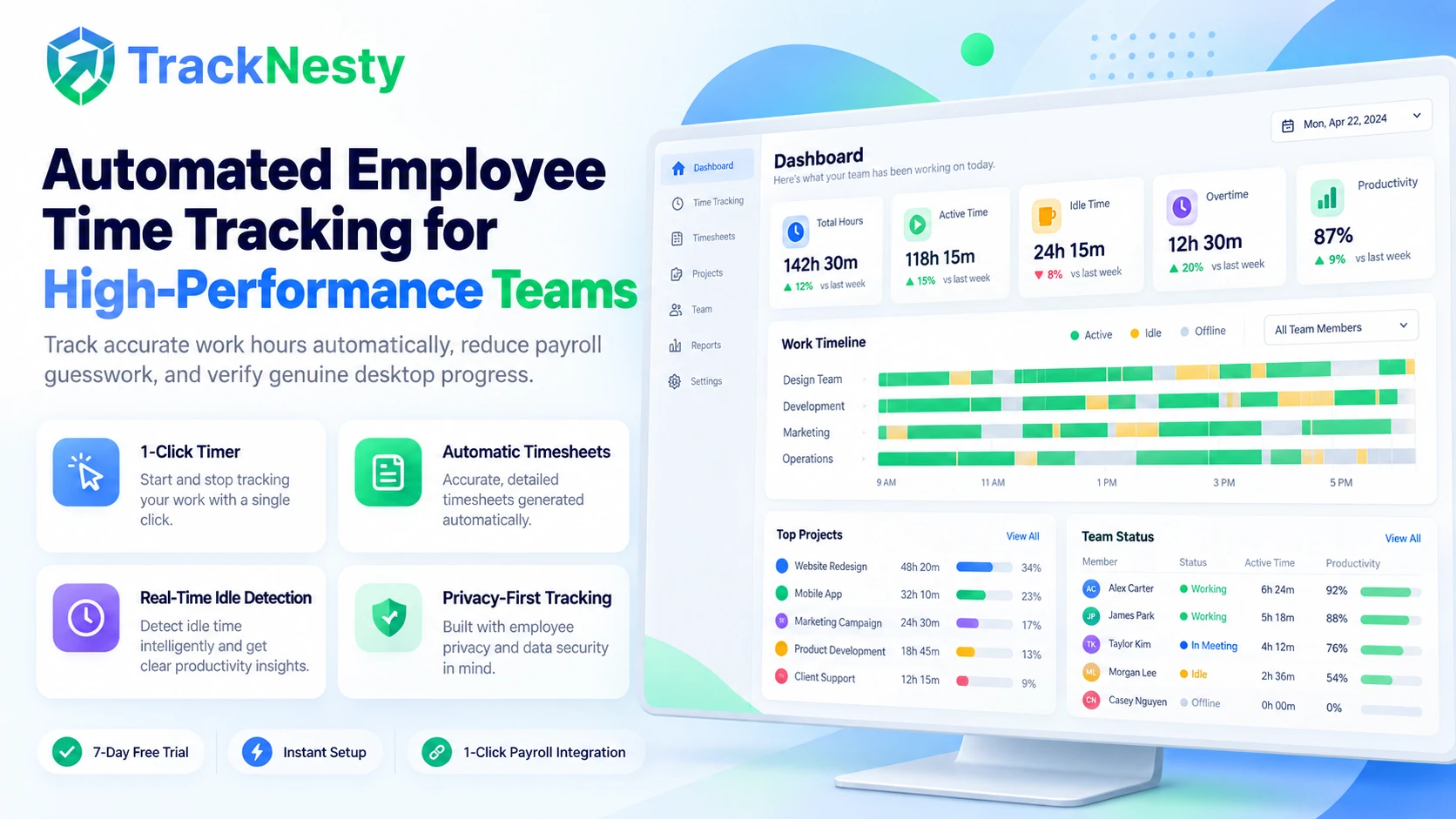
Accurate Employee Hour Tracking & Work Tracking for Modern Teams
Minimize billing disputes and save valuable administrative hours every pay period. Our automated work tracking engine combines an intuitive desktop work timer with ethical employee monitoring software, automated employee attendance software, and automated payroll.
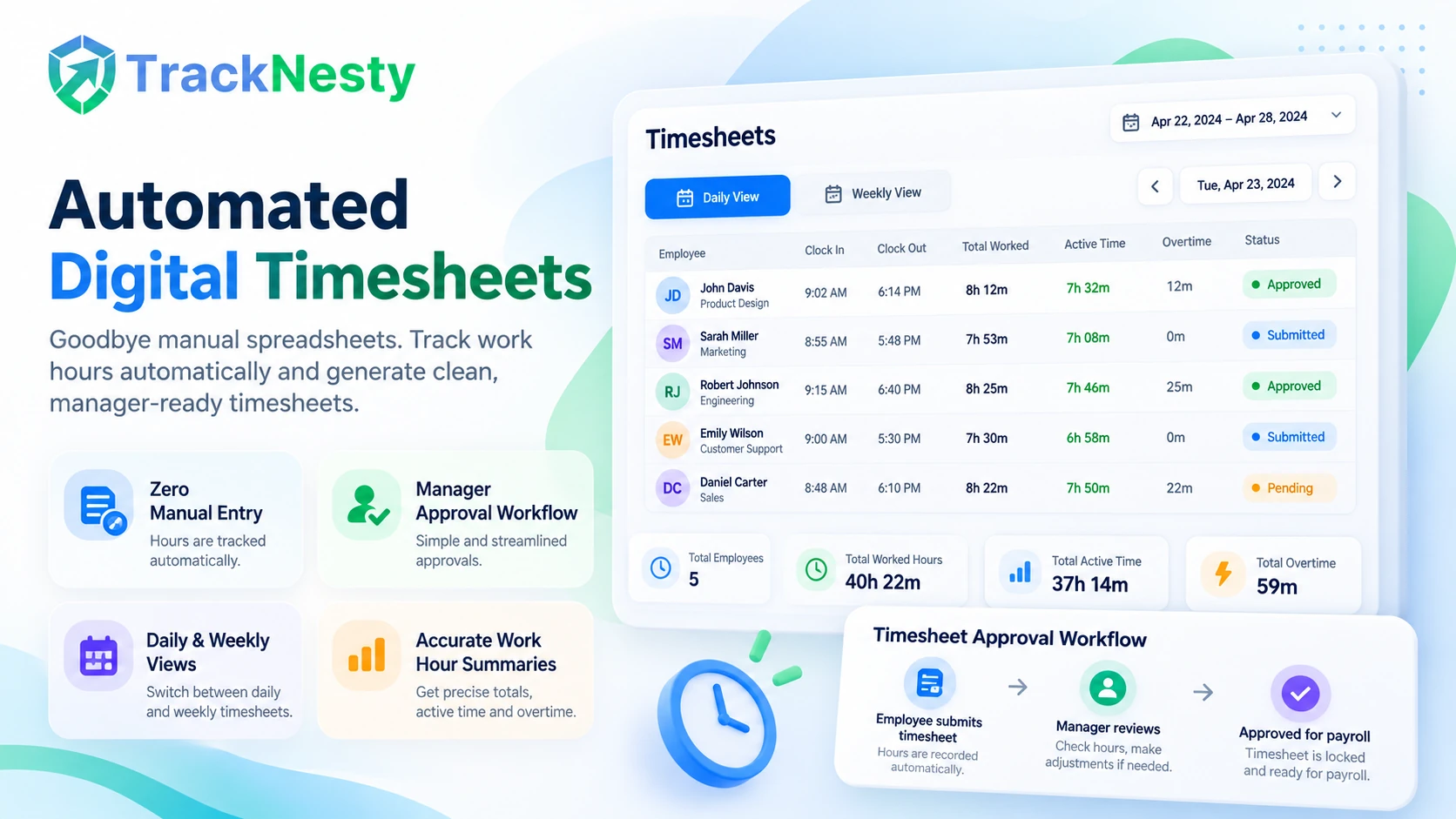
Automated Digital Timesheets
Eliminate error-prone manual spreadsheets. Tracknesty automatically records start, pause, and end times to generate clean, manager-approved daily timesheets.
Smart Inactivity & Idle Detection
If an employee leaves their desk or stops typing, Tracknesty detects the inactivity, pauses the work clock, and prevents artificial hours inflation.
Proof of Work & Verification
Combine work hours with our time tracker with screenshots and live screen monitoring to ensure undisputed proof for clients and executives.
Project & Task Allocation
Assign every tracked hour directly to specific clients or deliverables with project time tracking to protect profit margins and meet budget deadlines.
Overtime & Custom Schedules
Define shift windows and overtime rules with custom schedules. Track daily and weekly overtime hours automatically for flawless labor law compliance.
1-Click Payroll Integration
Export verified team hours directly into our automated payroll system or export CSV reports to pay freelancers and full-time staff in minutes.
Tracknesty is engineered on transparency and mutual trust. Time tracking only operates when an employee turns the work timer ON. When team members step out for lunch or pause the clock, all activity tracking stops instantly. Private browsing, personal chats, and passwords are never monitored.
Say Goodbye to Friday Timesheet Scrambles & Inaccurate Spreadsheets
Manual time cards lead to forgotten hours, inflated payroll costs, and endless approval friction. Tracknesty handles employee hour tracking automatically to the exact second, compiling neat daily and weekly timesheets ready for manager sign-off.
- Instant Start/Stop: Simple 1-click desktop tray widget and web browser work timer.
- Manager Approval Workflows: Department leads review, comment on, and approve time cards with built-in audit trails.
- Sync with Digital Timesheets: Connect directly with our full employee timesheet software suite.
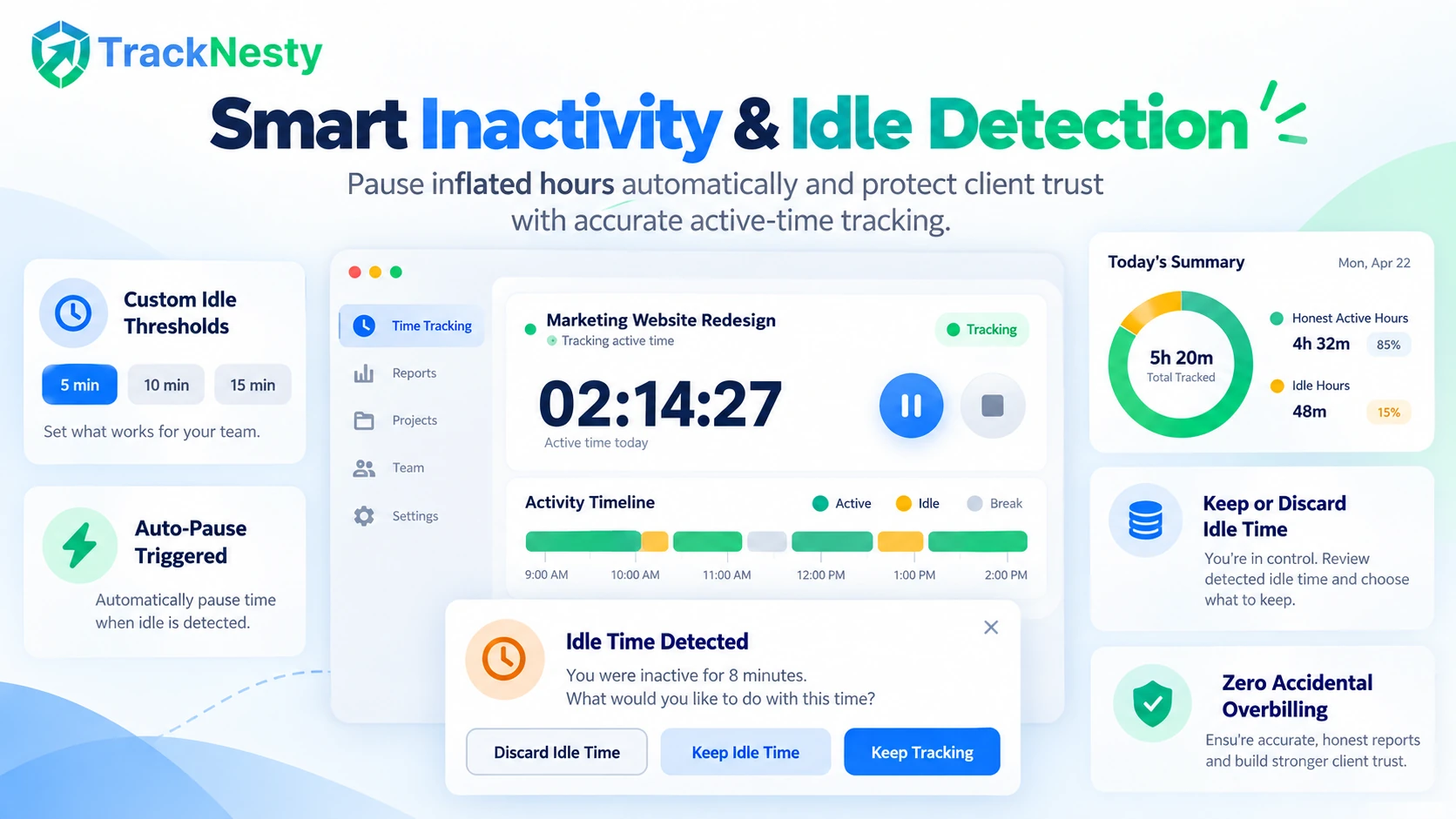
Intelligent Inactivity Detection That Protects Client Trust
It happens to everyone: an employee steps away for coffee or an unscheduled phone call and forgets to pause the work timer. Tracknesty's idle time tracking software detects keyboard and mouse inactivity and pauses the clock automatically.
- Configurable Timeout Thresholds: Set custom idle thresholds (e.g. 5, 10, or 15 minutes) per department or role.
- Keep or Discard Prompts: When the employee returns, they can easily choose whether to discard the idle duration or assign it to off-PC tasks.
- Zero Accidental Overbilling: Ensure your clients only get billed for honest, active project work hours.
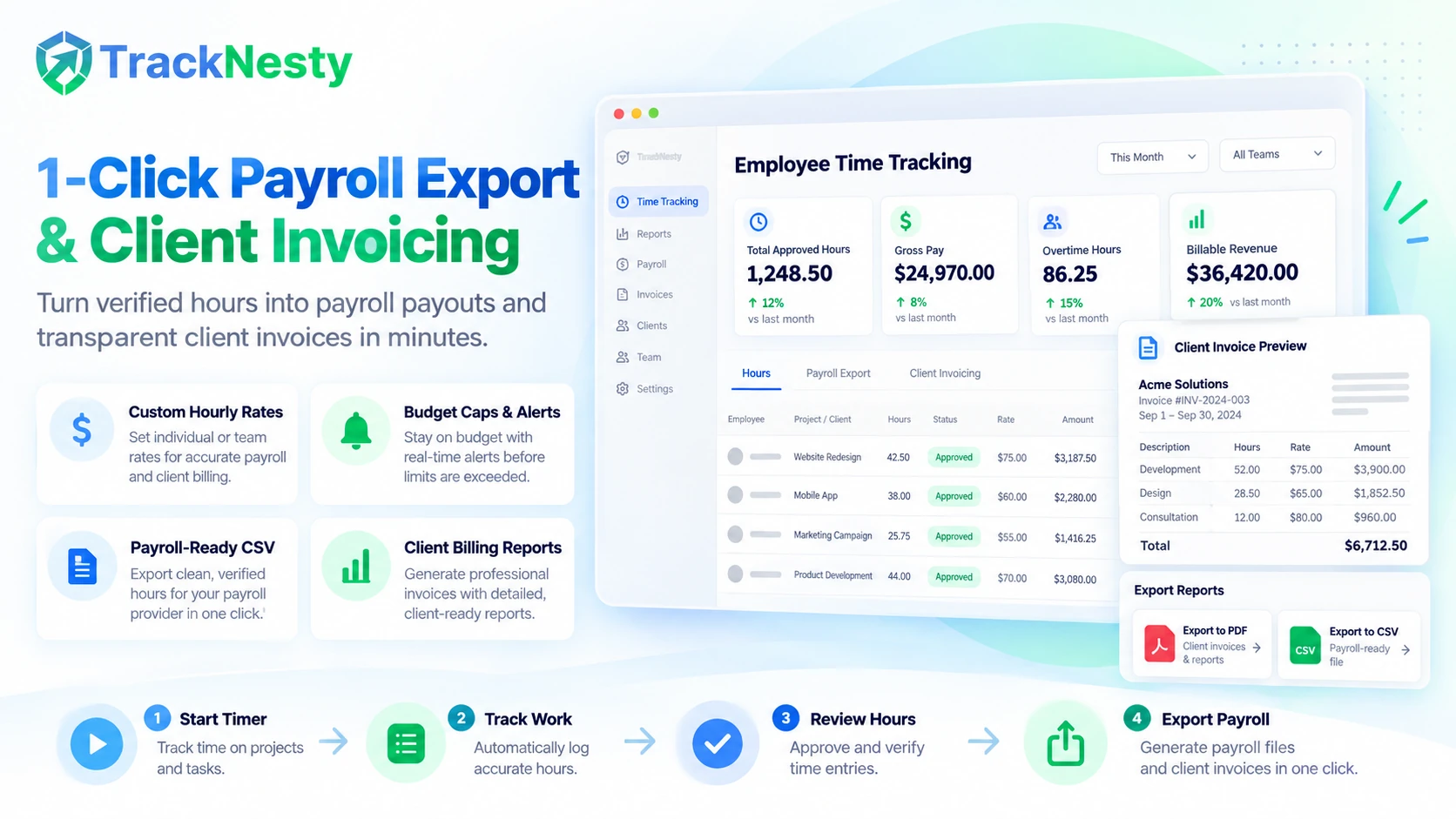
1-Click Payroll Payouts & Transparent Client Invoicing
Turn verified hours into dollars effortlessly. Assign custom pay rates to team members and billable rates to clients. Tracknesty calculates gross pay, overtime differentials, and client invoice totals automatically.
- Custom Hourly Rates: Manage internal employee wages alongside client-facing billable hourly fees.
- Budget Caps & Alerts: Protect margins by linking time directly with project cost tracking software.
- Flexible Invoicing: Export CSV or PDF invoices directly with time tracking invoicing software.
Simple 4-Step Automated Time Tracking Workflow
From the moment work begins to final payroll export, Tracknesty automates every step with precision.
Start Timer
Team member launches the timer with 1 click from desktop or web, selecting the client or task.
Work & Track
The background agent records seconds, application usage, and focus velocity seamlessly in the background.
Auto-Pause
When stepping away, idle detection pauses the timer automatically to prevent hours inflation.
1-Click Payroll
Managers review and approve digital timesheets, exporting clean payroll reports in one click.
Tracknesty vs Manual Spreadsheets vs Other Trackers
See how Tracknesty delivers superior accuracy, automated idle detection, and fair transparent pricing.
| Feature / Capability | Tracknesty Automated Suite | Manual Spreadsheets | Legacy Time Trackers |
|---|---|---|---|
| Time Entry Method | 1-Click automated desktop & web timer | Manual estimates entered on Fridays | Clunky timers requiring constant restarts |
| Idle & Inactivity Detection | Real-time auto-pause on keyboard/mouse rest | None — clock runs all day unverified | Basic timeouts without idle discard option |
| Proof of Work & Verification | Screenshots, live stream & activity velocity | Honor system with zero verification | Heavy keyloggers or expensive add-on modules |
| Project & Task Costing | Live rate conversion & budget overrun alerts | Complex formulas prone to breaking | Locked behind Enterprise tier upgrades |
| Offline Time Tracking | Full local cache with auto-sync on reconnect | Manual file version conflicts | Errors or dropped time chunks |
| Payroll Export Speed | 1-Click manager approvals & CSV payouts | 10+ hours per pay period manual data entry | Requires third-party sync connectors |
| Pricing | $5.00 / user / month (all features included) | Hidden administrative labor costs | $10.00 – $20.00 / user / month |
Time Tracking Engineered for Modern Workforces
Explore how diverse industries rely on Tracknesty to track billable output and eliminate administrative waste.
Build Asynchronous Trust Across Time Zones
Allow team members across multiple time zones to log honest hours with confidence. Pair time tracking with remote workforce software for complete transparency without disruptive micromanagement.
Track Sprint Velocity & Code Milestones
Integrate time tracking into agile sprint workflows with our specialized time tracking for software development. Eliminate context switching and track feature deliverables effortlessly.
Protect Client Retainers & Billable Margins
Prevent scope creep on client campaigns. With time tracking for marketing agencies, creative directors ensure retainers remain profitable and clients receive clear proof of work.
Monitor Shift Attendance & Queue Coverage
Ensure support desks are fully staffed during peak ticket volume with our dedicated time tracking for BPO module, managing agent shifts and overtime flawlessly.
Explore Connected Time & Billing Modules
Tracknesty provides an end-to-end suite connecting time tracking, project budgeting, invoicing, and automated payroll:
Frequently Asked Questions About Employee Time Tracking
Learn more about automated timesheets, idle pause rules, payroll exports, and team setup.
What is employee time tracking and how does it work?
Employee time tracking is the process of digitally logging the exact hours an employee spends on work tasks. Tracknesty runs a lightweight background agent that records active computer time, detects idle pauses, and organizes hours into daily timesheets automatically with zero manual effort.
Does employee time tracking run when an employee takes a break?
No. Tracknesty respects privacy. When an employee clicks Pause or becomes inactive past the configurable idle threshold, time tracking pauses instantly. Break time and personal pauses are never counted as billable work time.
Can employee time tracking be integrated with payroll?
Yes! Tracknesty connects employee time tracking directly with our automated payroll calculation module. Work hours, overtime, and shift differentials export in 1-click for streamlined, accurate payroll processing via CSV or accounting tools.
Can we use employee time tracking for client project billing?
Absolutely. Team members can assign tracked hours to specific clients, projects, or task milestones using our project time tracking capabilities, ensuring transparent invoicing and accurate project budgets.
How does idle detection prevent inflated timesheets?
If an employee steps away from their keyboard or mouse for longer than the set idle threshold (e.g. 5 or 10 minutes), Tracknesty pauses the timer and prompts the user upon return to discard or keep the inactive duration.
Can managers edit or approve timesheets manually?
Yes. Managers and administrators have full approval workflows. They can review daily or weekly timesheets, adjust manual time additions with required notes, and approve hours before payroll processing.
Does Tracknesty track work offline if internet disconnects?
Yes! The desktop agent stores work sessions, activity levels, and timestamps locally when offline. As soon as internet connection is restored, all data syncs safely to the cloud dashboard without losing a second.
How much does Tracknesty employee time tracking cost?
Tracknesty starts at just $5 per user per month (or $4.17/mo billed annually). All core features—timesheets, idle detection, screenshots, app monitoring, and payroll exports—are fully included without tiered lockouts.
Start Accurate Employee Time Tracking Today
Start tracking time, automating attendance, and generating accurate timesheets with Tracknesty.