Time Tracker with Screenshots for Remote Teams
Gain transparent proof of work with TrackNesty without micromanagement. Capture automated screenshots at custom intervals, protect sensitive data with privacy blurring, and eliminate idle fraud with heuristic anti-bypass.
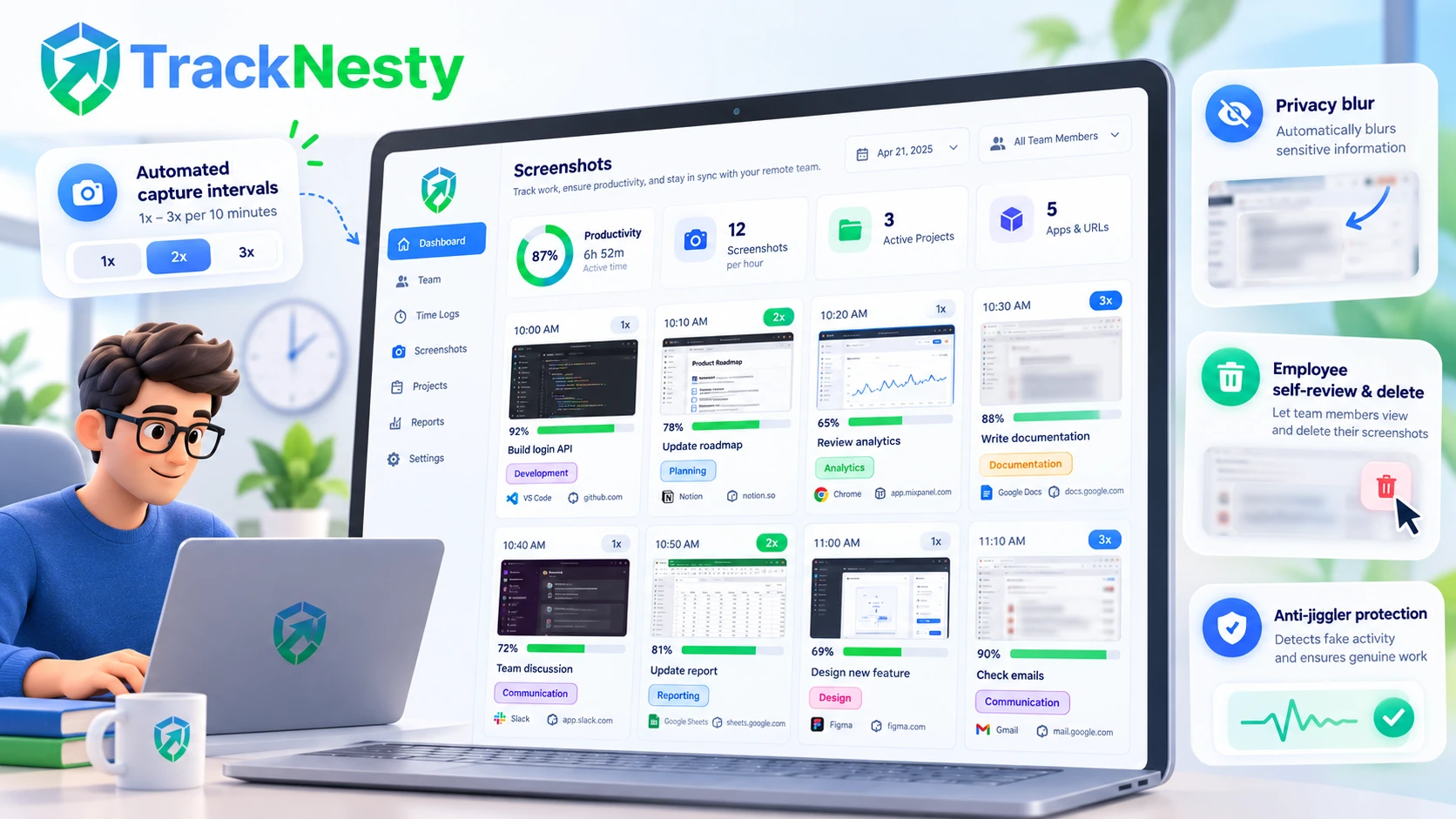
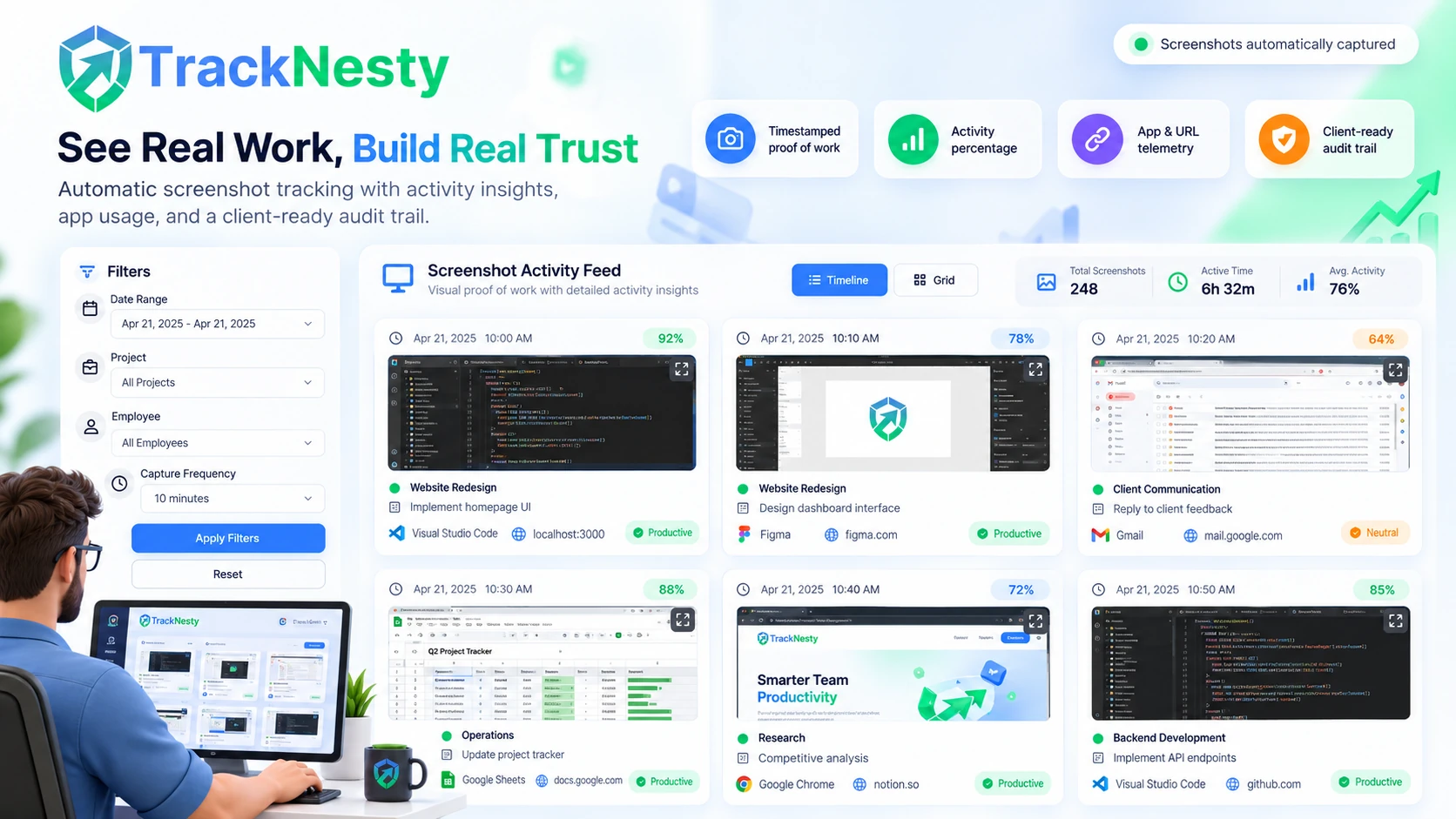
Clean, Timestamped Screenshot Activity Feeds
Review high-resolution screenshot cards paired with activity percentages, active applications, and URL telemetry.
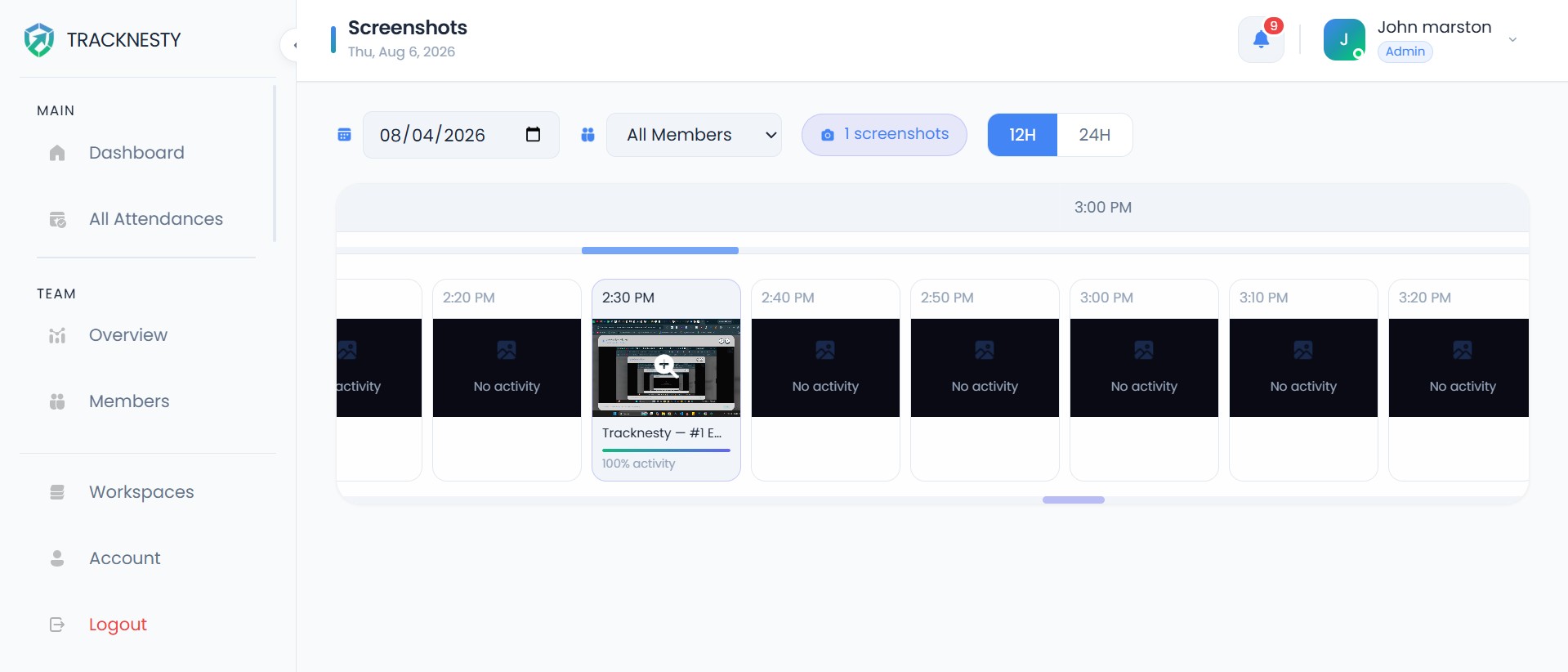
Detailed Screenshot Milestones
Every captured frame records the exact timestamp, active project tag, and task name for verifiable client audit proof via employee timesheet software.
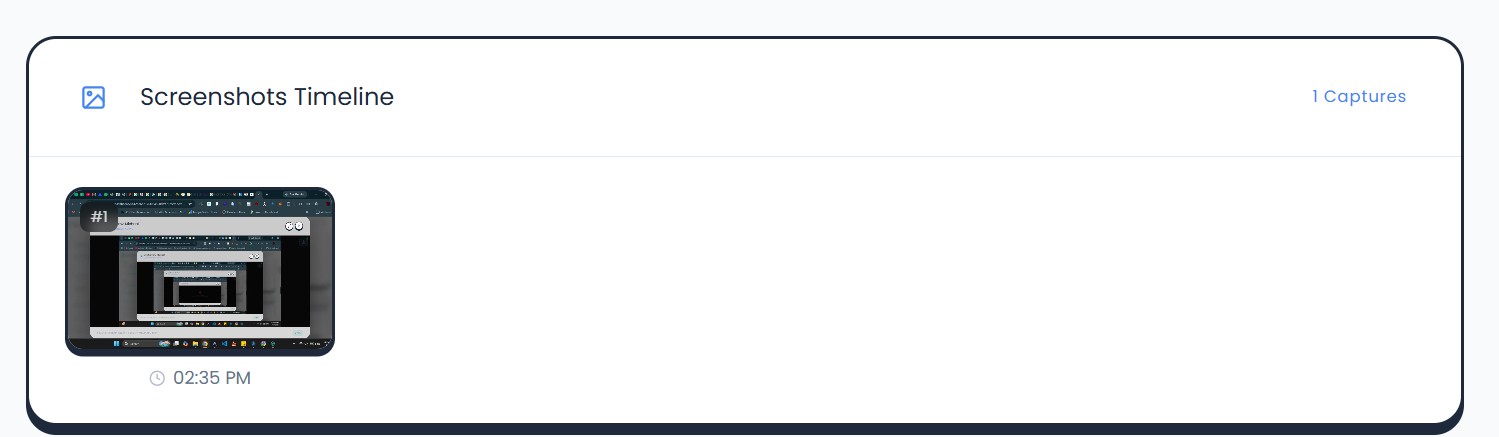
Activity Percentage & Cadence
View keyboard and mouse activity bars under each capture to verify active engagement vs idle periods with employee productivity monitoring.
Engineered for Remote Accountability and Privacy
Built for remote founders, agency managers, and enterprise compliance leaders.
Randomized & Fixed Capture Intervals
Choose between 1x, 2x, or 3x randomized captures per 10-minute block to prevent predictable timing, or set fixed intervals per project requirement.
Privacy-Safe Data Blurring
Protect sensitive passwords, personal messages, and confidential client data with configurable screenshot blurring and privacy controls designed to support GDPR-conscious workplace monitoring.
App & URL Telemetry Pairing
Every screenshot is timestamped and paired with active desktop programs and browser domains via employee app and URL tracking.
Heuristic Anti-Bypass & Jiggler Defense
Detect simulated mouse movement, USB hardware jigglers, and virtual machine use automatically through anti-bypass protection.
Low-Latency Live Screen Streaming
Supervisors can view zero-latency live desktop streams across active remote agents using our integrated live screen monitoring.
Role-Based Access & Admin Audits
Organization owners and managers have role-based permissions to review screenshot timelines, audit work proof, and manage project archives.
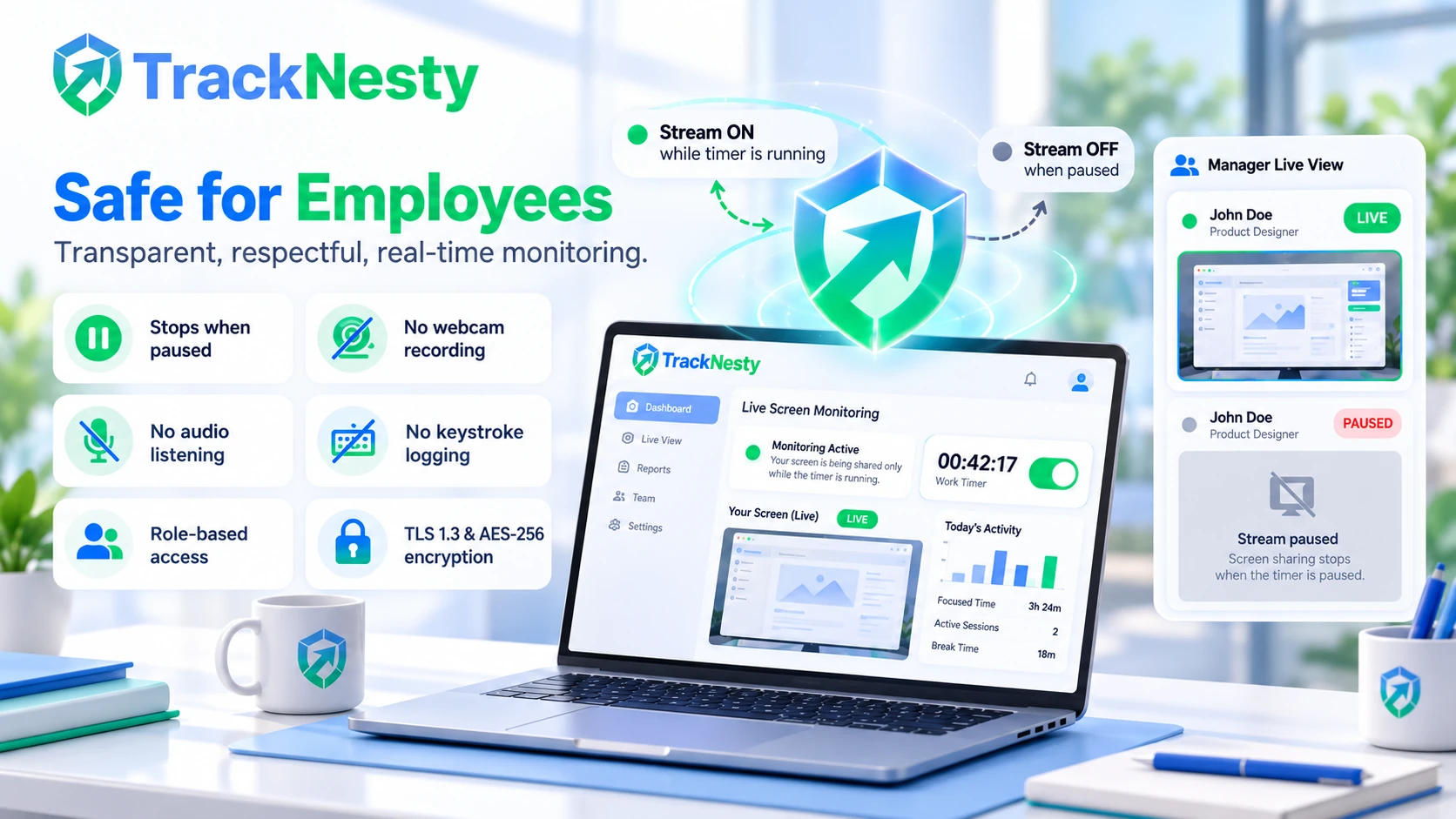
Tracknesty is engineered for transparent collaboration. Screenshots are only captured when employees intentionally start their timer on assigned tasks. We never record webcam feeds, intercept private keystrokes, or take stealth captures outside of active working hours.
Automated Screenshot Capture Intervals & Cadence
Managers can configure screenshot intervals per project or employee. Choose between 1x, 2x, or 3x randomized captures per 10-minute block, or fixed interval captures paired with automated employee time tracking.
- Randomized Timing: Eliminates predictable capture moments and guarantees accurate work verification.
- Multi-Monitor Support: Captures all active displays simultaneously without system lag.
- Minimal Resource Footprint: Native client uses less than 1% CPU overhead and tiny file compression.
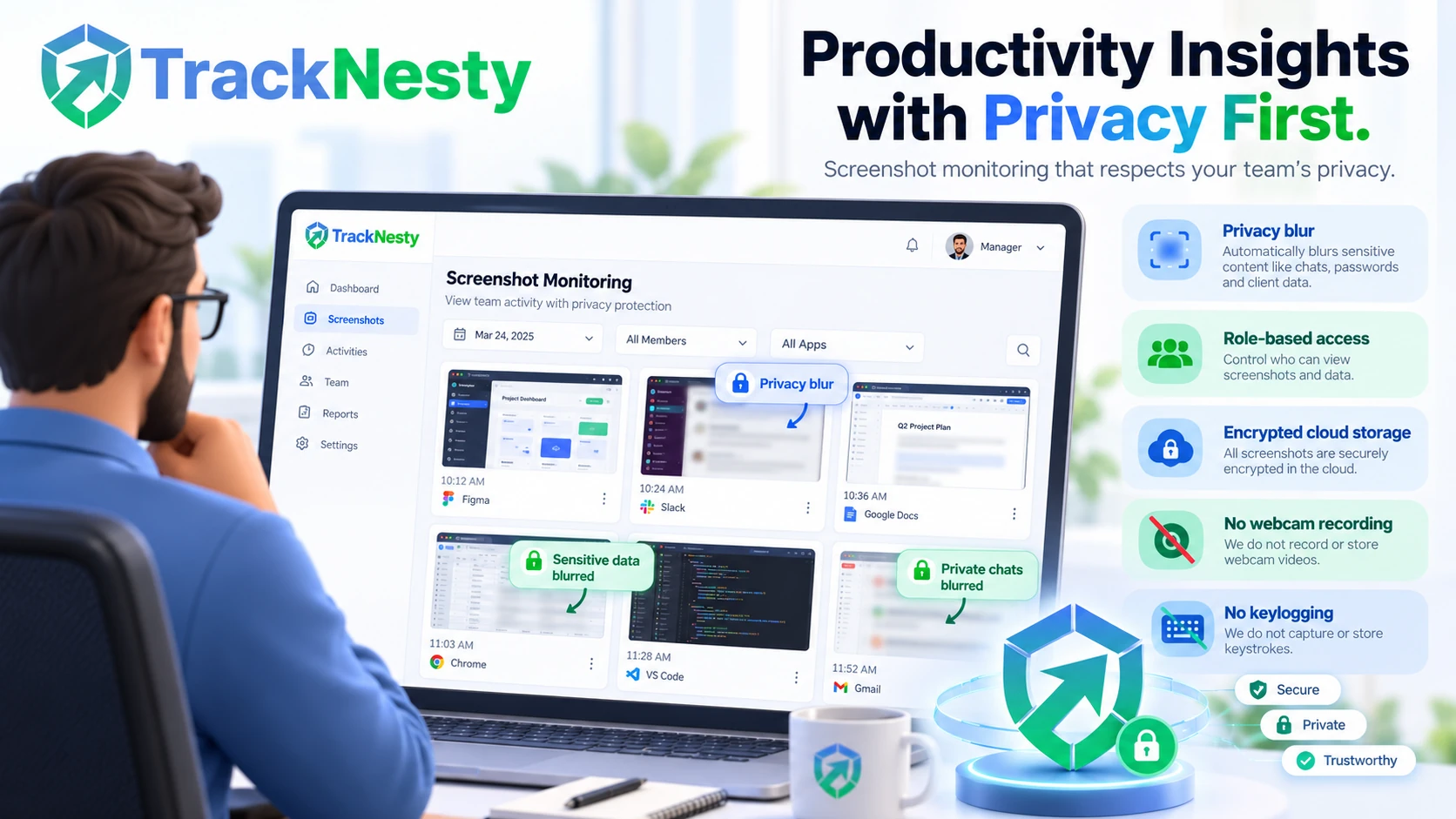
Privacy-Safe Screenshot Blurring & Controls
Workplace monitoring shouldn't compromise sensitive employee or customer information. Tracknesty offers configurable data blurring and privacy settings designed to support GDPR-conscious monitoring workflows while preserving verifiable proof of work alongside automated employee time tracking.
- Configurable Data Obfuscation: Obscure sensitive passwords, personal chats, and confidential client records.
- Admin Audit Controls: Organization admins and managers can review captured frames and audit work proof in their dashboard.
- Encrypted Cloud Storage: High-grade AES encryption with customizable retention limits to support internal data policies.
Low-Latency Live Screen Stream for Call Centers & Support
When escalations happen or training is required, static screenshots aren't enough. TrackNesty's live screen monitoring allows managers to view active employee screens in real time with zero latency directly from the supervisor console.
- Minimal FPS Impact: Lightweight client agent maintains 60 FPS system responsiveness on agent workstations.
- Instant Blocker Resolution: Review active customer support calls and ticket handling in real time with time tracking for BPO.
- Multi-Screen Supervisor Grid: Seamlessly observe dozens of distributed agents from a single unified view.
Heuristic Anti-Bypass & USB Mouse Jiggler Detection
Fake activity scripts and mechanical mouse jigglers compromise timesheet accuracy. Tracknesty flags jiggler apps, software-generated input, and robotic mouse patterns, so admins can check the matching screenshots before approving hours.
- USB Jiggler Patterns: Flag machine-regular or move-and-return mouse movement produced by USB jigglers via anti-bypass protection.
- Virtual Machine Alerts: Prevent headless emulation loops from falsifying screenshot intervals.
- Automated Idle Pause: Instantly pause timers when real interaction ceases through idle time tracking software.
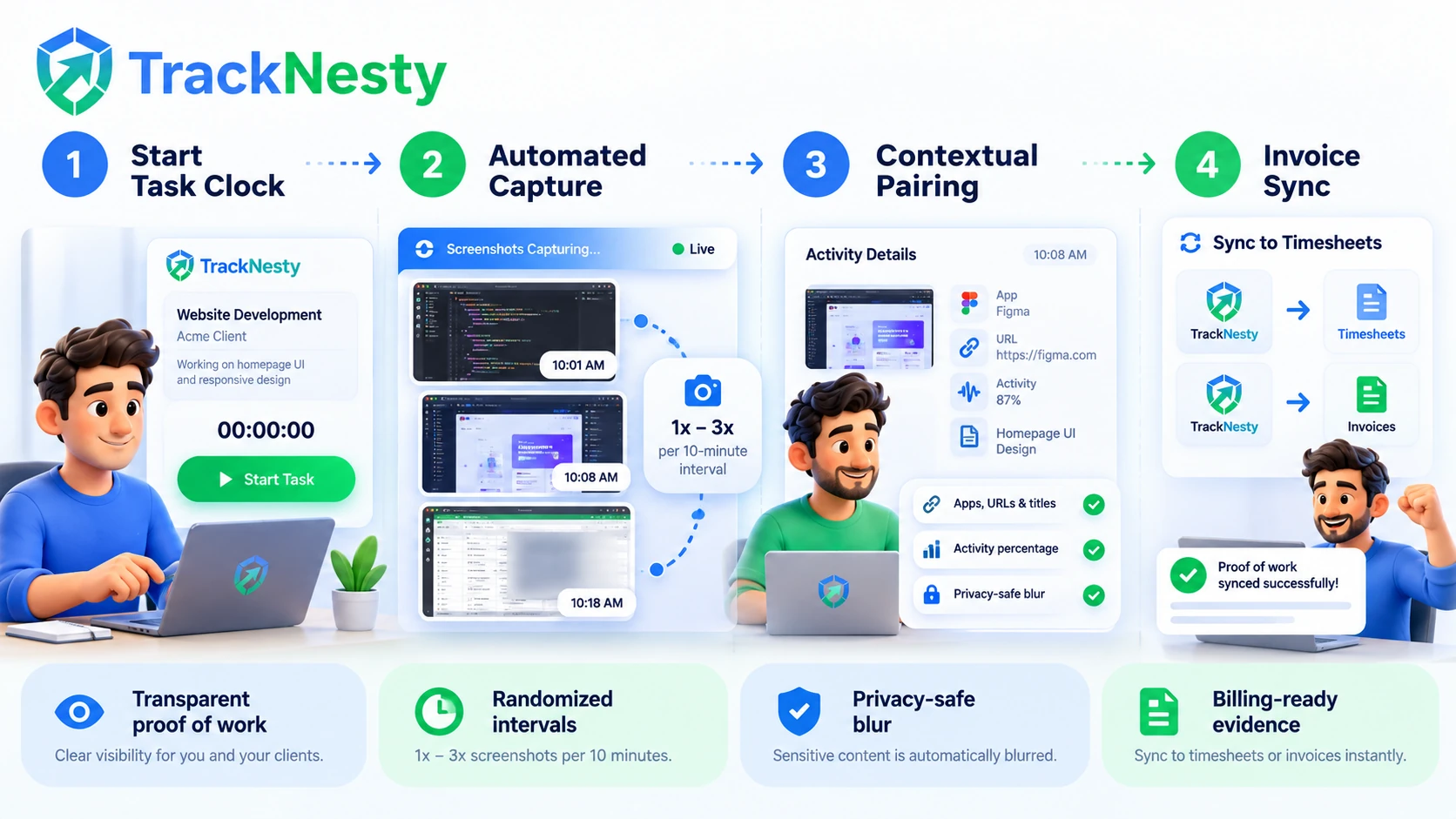
4-Step Automated Screenshot Workflow
From desktop capture to verified client timesheet in four automated stages.
Start Task Clock
Employee selects a task and starts the timer. Zero tracking occurs while off-the-clock.
Automated Capture
Takes 1x–3x randomized captures per 10 minutes, automatically applying privacy blurring.
Contextual Pairing
Every capture is paired with active window titles, URLs, and keystroke activity percentages.
Tracknesty Screenshot Edition vs Invasive Spyware
See how Tracknesty delivers verifiable proof of work without resorting to invasive surveillance.
| Screenshot Dimension | Tracknesty Screenshot Edition | Invasive Workplace Spyware | Manual Timesheets |
|---|---|---|---|
| Capture Frequency | 1x, 2x, or 3x randomized / 10-min block | Constant video recording (network lag) | Zero visual proof |
| Privacy Blurring | Configurable on-device privacy blur | Unblurred raw capture of private data | None |
| Anti-Jiggler Protection | Proprietary heuristic bot & loop detection | Only counts raw click volume | Completely unprotected |
| Employee Self-Audit | Employees review & delete personal captures | Secret background surveillance | Manual spreadsheet guesswork |
| Live Desktop Streaming | Zero-latency supervisor stream console | Bloated screen recorders throttling CPU | None |
| System Resource Footprint | <1% CPU overhead; native client | High battery drain & fan throttling | Lightweight |
| Pricing | $5.00 / user / month (all features included) | $15.00 – $35.00 / user / month | Hours of dispute resolution |
What Remote Team Leaders Say About Tracknesty
Built for remote teams, agencies, and BPOs who need transparent proof of work.
“Randomized interval screenshots give our clients complete confidence in billable design hours without micromanaging our creatives.”
“Unlike bloated monitoring tools that overheat laptops, Tracknesty runs smoothly with less than 1% CPU overhead. The lightest monitoring agent we have deployed.”
“Anti-bypass caught simulated mouse jigglers on day one. No more fake activity. The agent integrity check paid for itself in week one.”
“Domain tracking surfaced 90 minutes of non-work browsing per agent daily. Response times and ticket resolution improved by 40% immediately.”
“Idle time was 35% higher than our previous estimates. Tracknesty gave us objective workforce analytics within 48 hours without friction.”
Screenshot Telemetry Built for Remote Workforces
See how engineering teams, digital marketing agencies, and global BPOs leverage Tracknesty.
Visual Pull Request & Code Progress Milestones
Pair screenshots with active IDE windows to provide technical leads with transparent sprint progress via time tracking for software development.
Undisputed Billable Hours for Client Retainers
Eliminate client invoice disputes by attaching timestamped screenshot milestones to client invoices with time tracking for marketing agencies.
Live Queue Compliance & Agent Support
Ensure remote support agents stay focused on CRM tickets and ticketing workflows using time tracking for BPO with low-latency live streams.
Asynchronous Accountability Across Time Zones
Keep international remote contractors accountable without scheduling micromanagement meetings with remote workforce software.
How Does Time Tracking With Screenshots Work? A Guide for Remote Teams
Explore how interval captures, Gaussian blur privacy filters, and anti-jiggler heuristic engines operate step-by-step.
Frequently Asked Questions
Learn more about capture intervals, privacy blurring, anti-bypass detection, and billing.
How often does Tracknesty capture screenshots while tracking time?
Managers can configure screenshot intervals per project or employee. You can choose 1, 2, or 3 randomized screenshots per 10-minute block, or fixed interval captures. Screenshots are only taken when the employee actively starts the timer.
How does Tracknesty protect sensitive data with screenshot blurring?
Tracknesty includes an optional Privacy Blur feature. When enabled, screenshots are automatically blurred to obfuscate personal messages, credit card details, or sensitive client data while still proving the employee is actively engaged in work.
Do employees know when a screenshot is captured?
Yes. Tracknesty operates with complete transparency. Screenshots are only captured during active work sessions when the timer is running. Captured screenshots are securely audited by organization administrators and managers in the dashboard.
Does Tracknesty detect fake activity from mouse jigglers during screenshot intervals?
Yes. Tracknesty features built-in heuristic anti-bypass algorithms that flag robotic patterns from USB mouse jigglers, jiggler and auto-click apps, and virtual machine use, then alert admins to review.
Can screenshots be grouped by project and task for client billing?
Yes. Screenshots are indexed alongside active projects, tasks, application windows, and active timestamps, making it easy for managers to export audit reports for client invoices.
Does screenshot monitoring consume significant internet bandwidth or battery?
No. Tracknesty compresses screenshot captures on-device into highly optimized webp formats before uploading, utilizing less than 1% CPU overhead and negligible network bandwidth.
How does screenshot tracking pair with live screen streaming?
While periodic screenshots provide an audit trail of milestones, managers can also switch to zero-latency live screen monitoring for real-time supervisory checks.
What is the pricing for Tracknesty time tracker with screenshots?
Tracknesty starts at just $5 per user per month (or $4.17/mo on annual billing). Full screenshot monitoring, live stream, and anti-bypass features are included with a 7-day free trial.
Get verifiable Proof of Work with Tracknesty
Start tracking time, automating attendance, and generating accurate timesheets with Tracknesty.