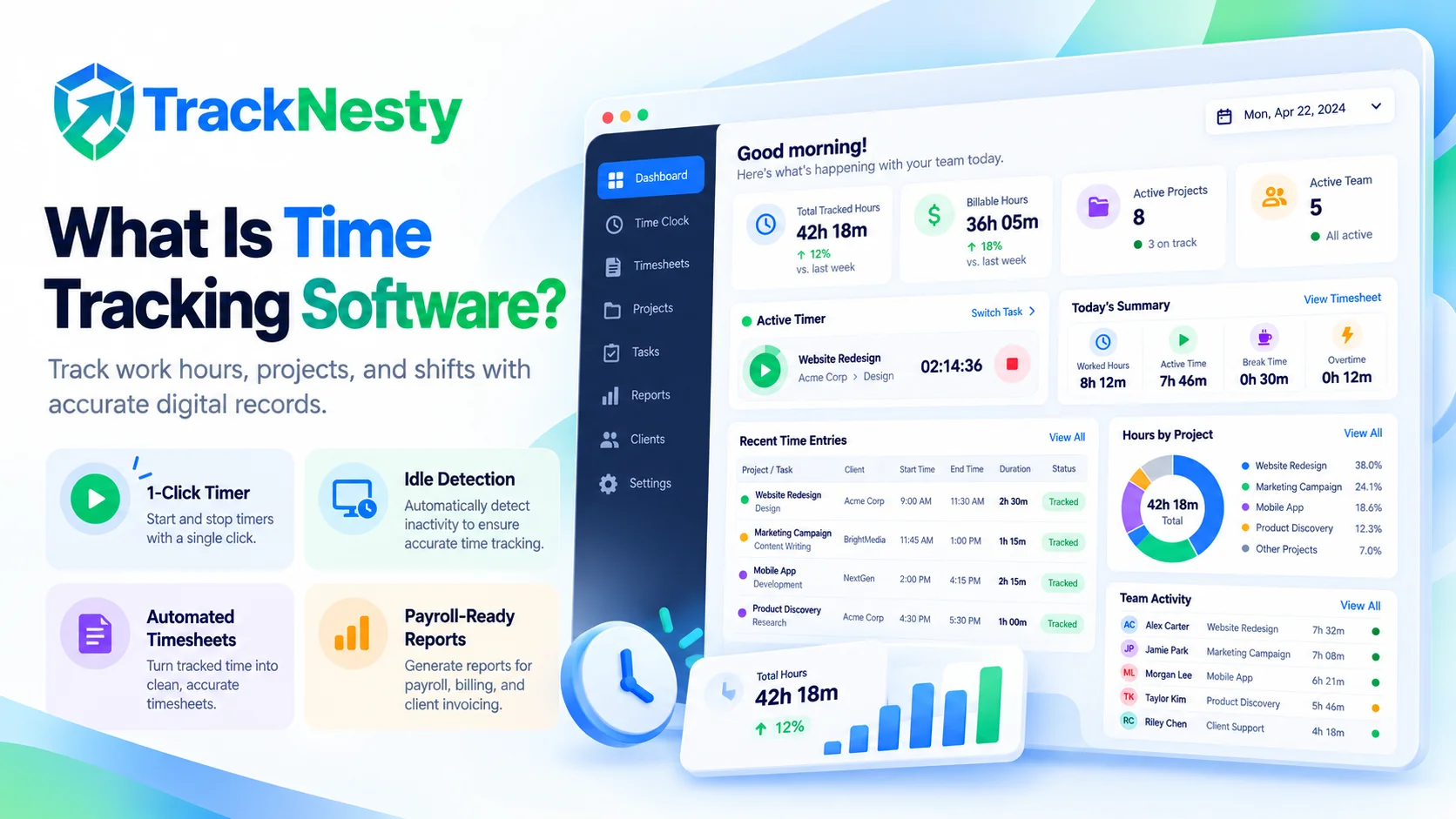
Time tracking software is a digital tool that measures and logs the exact hours workers spend on shifts, projects, and specific tasks. It replaces manual paper punch cards and messy spreadsheets with automated timers, daily timesheets, and verified work records for accurate payroll and client billing.
Have you ever reached the end of a busy Friday and wondered, "Where did all my work hours actually go?"
You are definitely not alone. For decades, companies and freelancers tracked their time by jotting notes on paper, punching physical cardboard cards, or trying to remember on Friday evening what they worked on Tuesday morning. This manual method often leads to forgotten hours, inaccurate invoices, and stressful payroll disagreements.
That is where time tracking software comes in. In this straightforward guide, we will break down what it is, how it works in everyday work life, the different types you can choose from, and how it helps both employees and managers work with peace of mind.
What Is Time Tracking Software?
At its simplest, time tracking software is a computer program or mobile app designed to record the time spent on work activities.
Instead of writing down your start time on a sticky note, you click a simple button on your desktop or phone when you begin working. The software automatically records your exact start timestamp, pauses when you take a lunch break, and logs when you finish your shift.
Beyond simple timers, modern platforms like employee time tracking software connect your hours directly to projects, tasks, and client accounts. They turn raw working minutes into organized digital summaries, so everyone has an honest and transparent record of the working day.
How Time Tracking Software Works
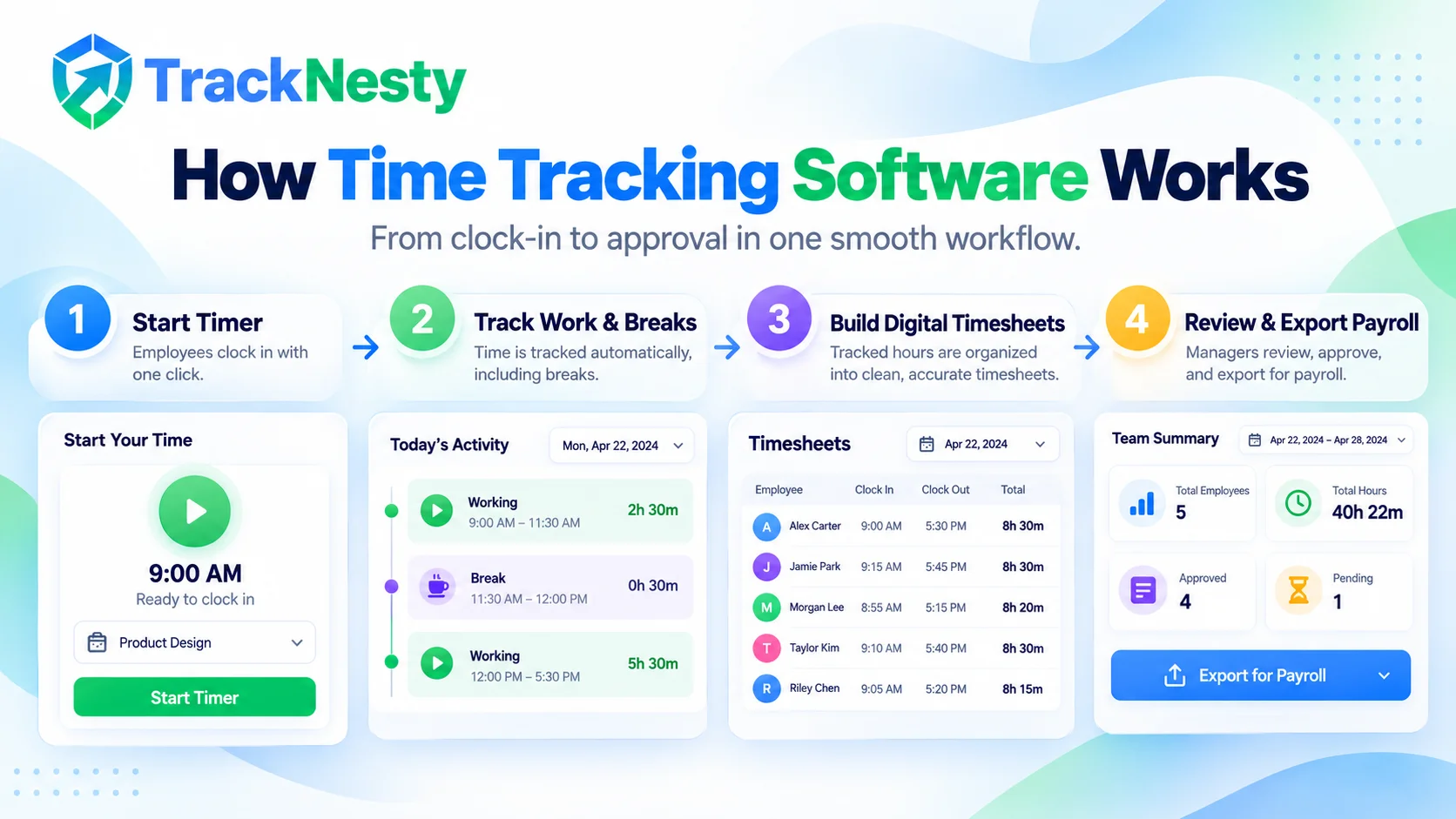
Understanding how time tracking software works is very simple. While different tools offer different features, most follow a clean four-step workflow:
- Clocking in or starting a timer: When an employee starts their workday or begins a new project, they click "Start" on a desktop tray widget, web dashboard, or time clock app.
- Recording active work and breaks: The software counts active work minutes. If the worker steps away for lunch or a quick break, they click "Pause" (or the system notices they walked away and pauses automatically).
- Compiling digital timesheets: As sessions are recorded throughout the day, the software organizes them into neat daily and weekly summaries with our employee timesheet software.
- Review and payroll export: At the end of the week or pay cycle, managers review the recorded hours, approve the timesheets, and export the records into payroll or client invoices in one click.
One of the smartest features of modern software is idle time detection. If an employee leaves their desk without pausing their timer, the app detects that the mouse and keyboard stopped moving. When the employee returns, the software asks whether they were taking a break or doing offline work, keeping records 100% honest.
The Main Types of Time Tracking Software
Not all time trackers are built the same way. Depending on whether you are an individual freelancer, an in-office company, or a global remote team, you might need different types of time tracking software:
1. Clock-In & Attendance Apps
Focuses on recording when an employee starts work, takes lunch, and finishes for the day. Perfect for remote shifts and scheduled work hours.
2. Project & Task Time Trackers
Allows workers to assign tracked hours to specific clients, tasks, or milestones so you know exactly where your work hours went.
3. Automated Background Trackers
Runs quietly in the background, logging active computer windows, applications, and documents without needing manual start and stop clicks.
4. Proof-of-Work & Monitoring Suites
Combines hour tracking with proof like periodic screenshots, activity velocity scores, and idle pauses to ensure honest billable hours.
For remote and hybrid teams, combining a simple time clock app for daily shift clock-ins with project time tracking is the best approach. Workers know exactly how to record attendance, while managers know where billable hours went.
Key Benefits of Time Tracking Software
Why do thousands of growing companies switch from spreadsheets to dedicated tools? The benefits of time tracking software touch every part of a business, from payroll to team morale:
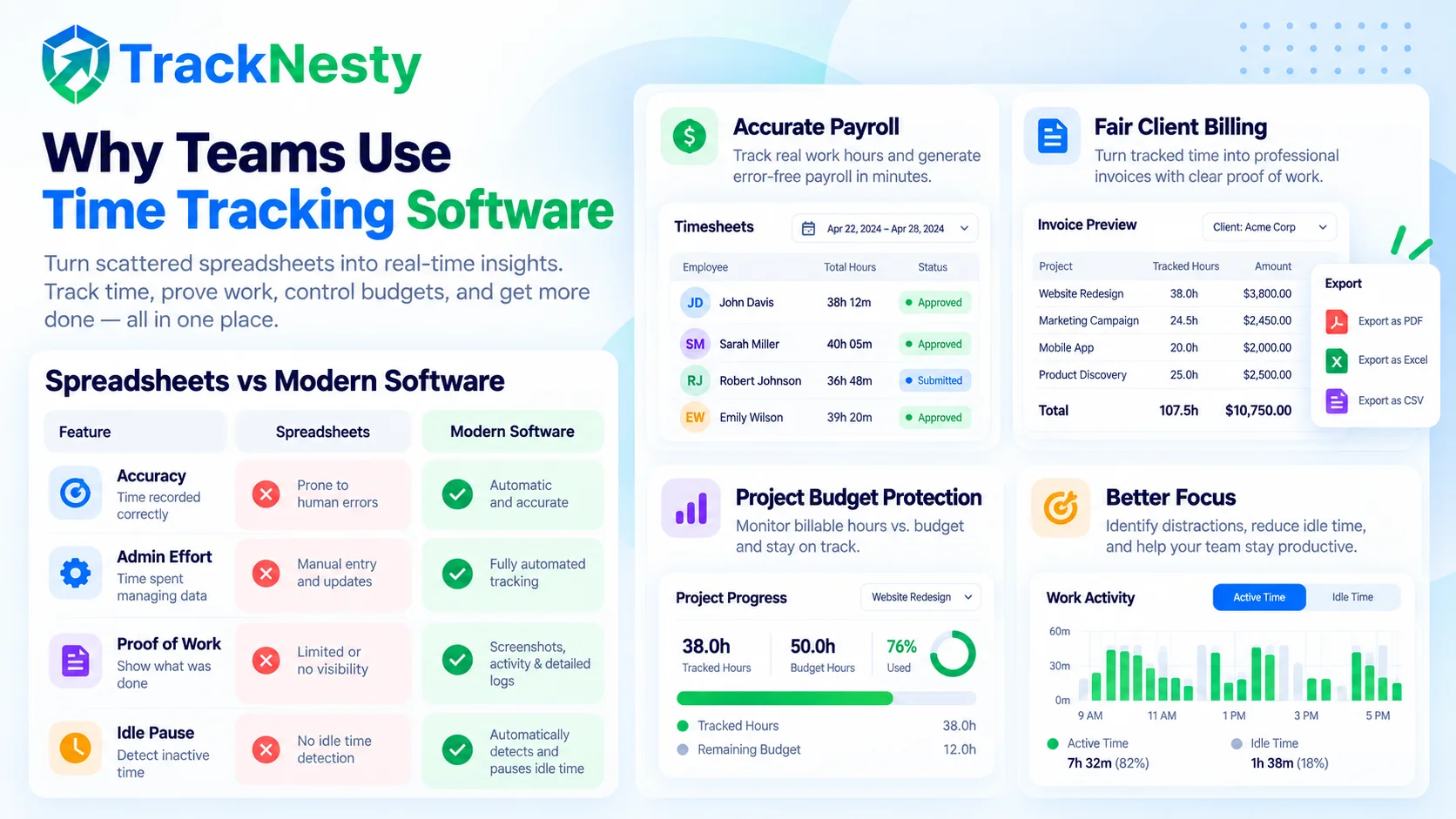
Accurate Payroll Without Guesses
No more Friday guessing games or messy spreadsheets. Every minute worked is logged to the exact second, ensuring workers get paid fairly and companies avoid overpaying.
Fair & Transparent Client Invoicing
Clients appreciate clear bills. Showing exact start, stop, and task times gives clients confidence that every billable hour was genuinely spent on their deliverables.
Project Budget Protection
See how many hours your team spends on each project in real time. If a project is about to go over budget, managers can catch it early rather than after the money is gone.
Automatic Idle & Break Detection
If someone leaves their computer to grab coffee, modern software notices the inactivity and pauses the clock. Personal pauses are never counted as paid work time.
Better Focus & Time Awareness
When workers see where their hours actually go, it becomes easy to spot distractions, cut unnecessary meetings, and build better daily working habits.
Zero Friday Timesheet Scrambles
Instead of spending 30 minutes every Friday trying to remember what you did on Tuesday morning, your timesheet is already filled out and ready for approval.
When used properly, time tracking is not about watching over someone's shoulder. It is about building mutual trust. Employees have clear proof of their hard work, and business owners have accurate records to run payroll smoothly via automated payroll.
Spreadsheets vs Modern Time Tracking Software
Many teams start by tracking hours in Excel or Google Sheets because it seems free. But as teams grow, manual spreadsheets quickly become expensive due to human errors and wasted administrative hours:
| Tracking Method | Accuracy | Admin Effort | Proof of Work | Idle Pause | Best Suited For |
|---|---|---|---|---|---|
| Manual Spreadsheets | Low (rely on human memory) | High (manual typing every week) | None (honor system) | No (clock runs even if away) | Very small teams with no budget |
| Basic Stopwatches | Medium (easy to forget to start/stop) | Medium (requires frequent clicks) | None | No | Simple personal study time |
| Modern Time Tracking Software | High (down to the second) | Very Low (1-click or automated) | High (screenshots & activity logs) | Yes (auto-pauses on inactivity) | Remote teams, agencies, and businesses |
What to Look for When Choosing Software
If you are shopping for your first time tracking tool, keep it simple. Look for these essential qualities before committing to a plan:
- Easy for employees to use: If the timer is confusing or takes five clicks to start, employees will forget to use it. A clean, 1-click desktop or web app is always best.
- Clear break & idle handling: Make sure the app lets team members pause for lunch without ruining their shift records.
- Privacy-respecting architecture: Avoid invasive spy tools that log personal keystrokes or record webcams. Choose transparent tools that only track when the worker turns the timer ON.
- Direct payroll & report exports: Your software should turn recorded hours into downloadable PDF summaries or CSV files in seconds.
- Transparent, affordable pricing: Look for straightforward pricing around $5 per user per month without hidden setup fees.
Frequently Asked Questions
What is time tracking software in simple words?
Time tracking software is a digital tool that records how many hours someone works on specific tasks, projects, or shifts. It replaces old paper punch cards and handwritten timesheet spreadsheets with accurate digital timestamps.
How does time tracking software work?
It usually runs as a desktop app, web timer, or mobile widget. When you start working, you click start or clock in. The tool counts your active time, pauses during breaks, and saves your records into a daily timesheet that managers can review.
Does time tracking software invade employee privacy?
Not modern ethical tools like TrackNesty. Ethical software tracks only when the work timer is active, never logs personal passwords, does not record webcams or audio, and stops monitoring the moment you clock out or pause for lunch.
What are the main benefits of using time tracking software?
The top benefits include accurate client billing, on-time and error-free payroll, clear insight into project budgets, higher team productivity, and ending Friday timesheet scrambles.
Can small teams and freelancers benefit from time tracking?
Yes. Freelancers use it to bill clients for exact hours worked, while small agencies use it to make sure they do not over-deliver on fixed-fee retainers without getting paid.
Final Thoughts
At the end of the day, time tracking software is one of the simplest and most effective investments a business can make. It takes the stress out of tracking work hours, protects company budgets, and ensures employees get paid accurately for every single minute of their hard work.
Whether you manage a team of remote developers or run a local marketing agency, starting with a clean, easy-to-use tool will transform how you manage your working day.
Ready to simplify your team's time tracking?
Try TrackNesty free for 7 days. Experience 1-click timers, automated timesheets, smart idle pause, and seamless payroll exports.