Privacy-First Employee Website Monitoring Software
Get accurate insights into web habits and research time. TrackNesty provides intelligent employee website monitoring that logs active domains, measures web productivity, and respects personal off-clock time.
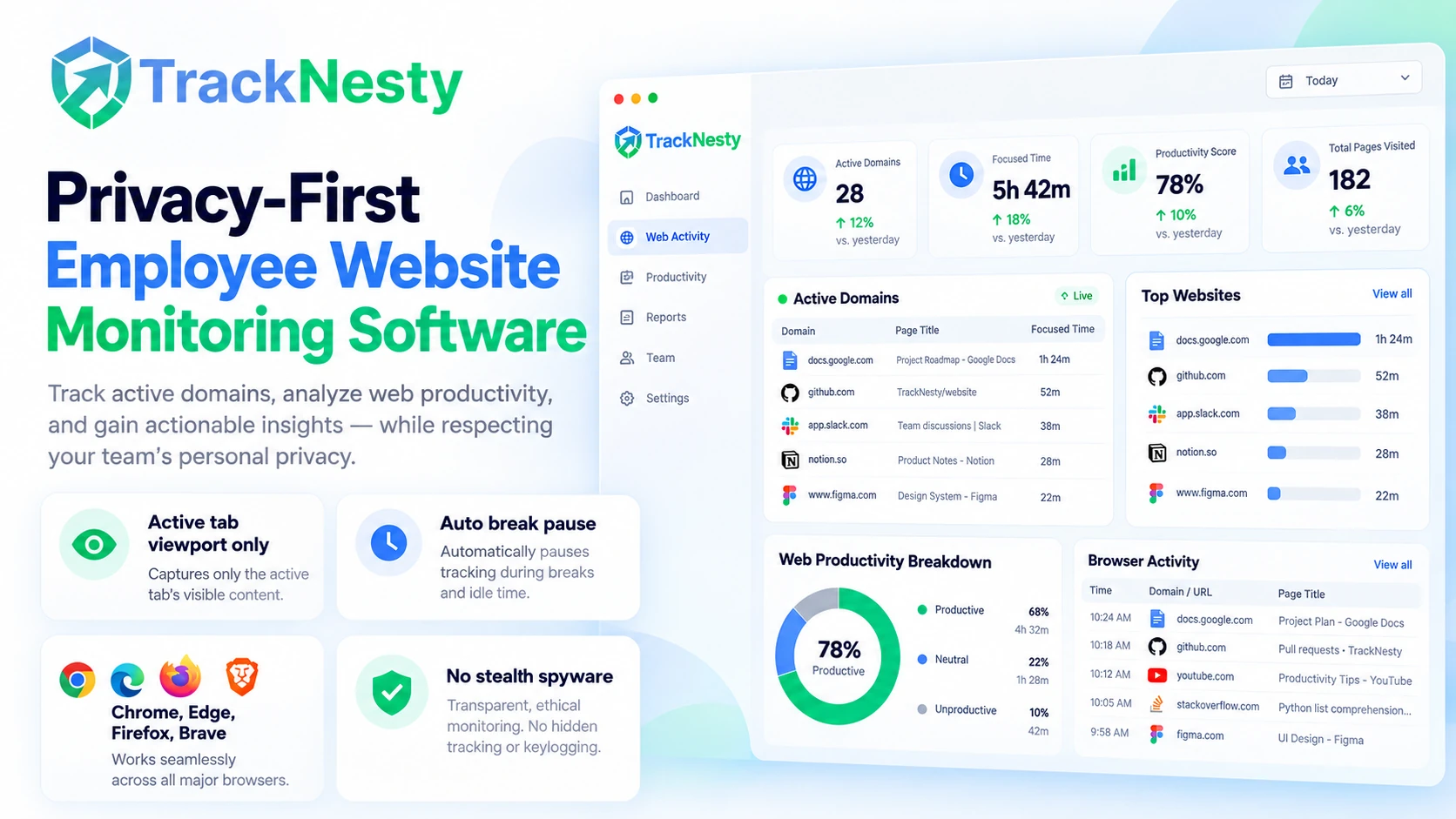
Understand How Web Browsing Shapes Team Productivity
Pair web tracking directly with employee app monitoring, broader employee monitoring software, and holistic employee productivity monitoring.
Domain & Subpage URL Analytics
Distinguish client research on GitHub or technical docs from casual scrolling using detailed employee app and URL tracking.
Active Tab Viewport Detection
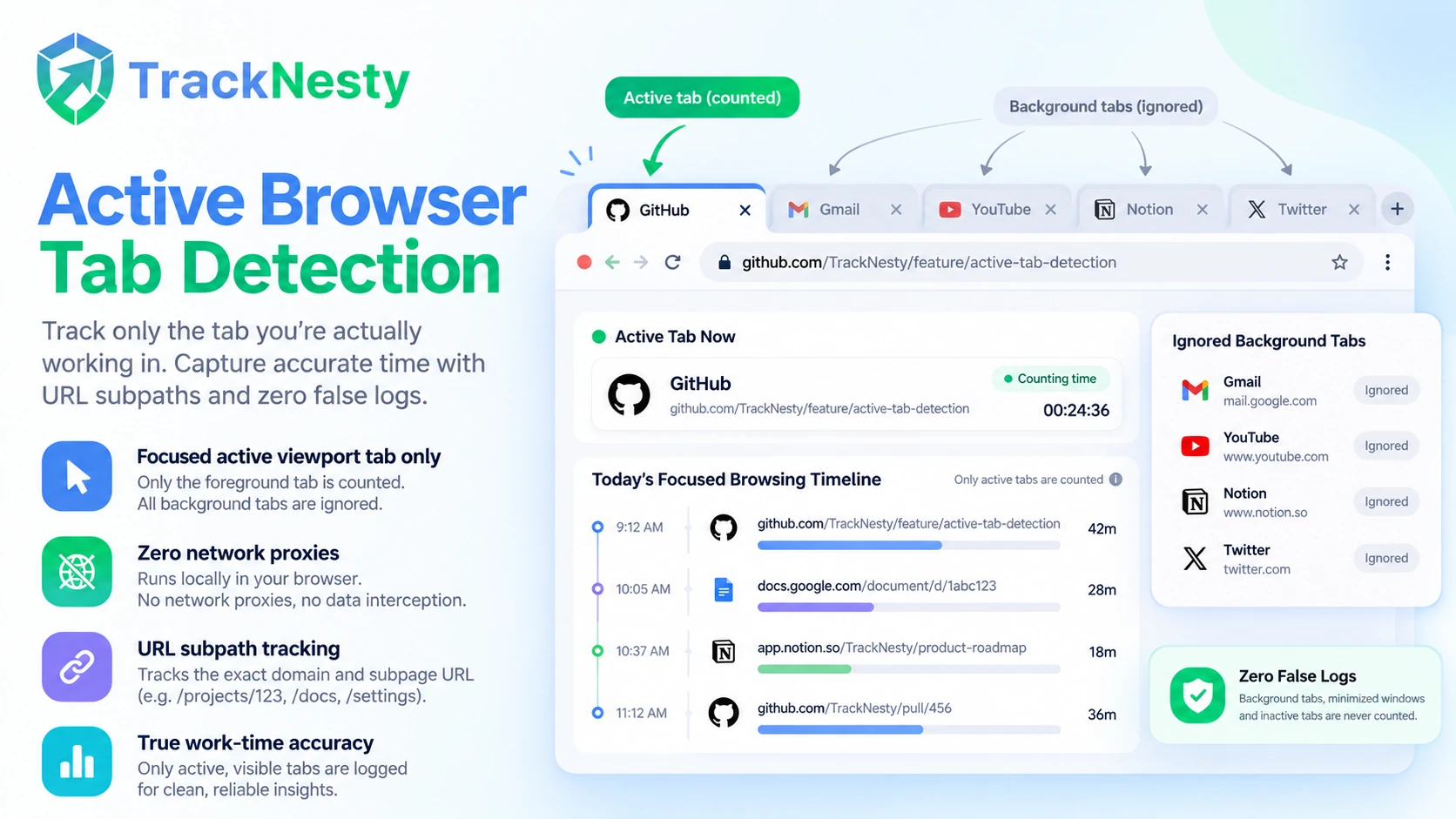
Having 30 tabs open does not mean working in 30 tabs. Tracknesty only logs the exact browser tab in the user's active foreground viewport.
Productive Web Categorization
Define custom web rules for support, engineering, marketing, and sales, feeding into employee productivity monitoring ratings.
Cross-Browser Native Support
Accurately track browser domains across Chrome, Edge, Firefox, Brave, and Safari without installing bloated network proxies or root certificates.
Synchronized Visual Proof
Cross-reference browsing logs with timestamped captures from our time tracker with screenshots and live screen monitoring.
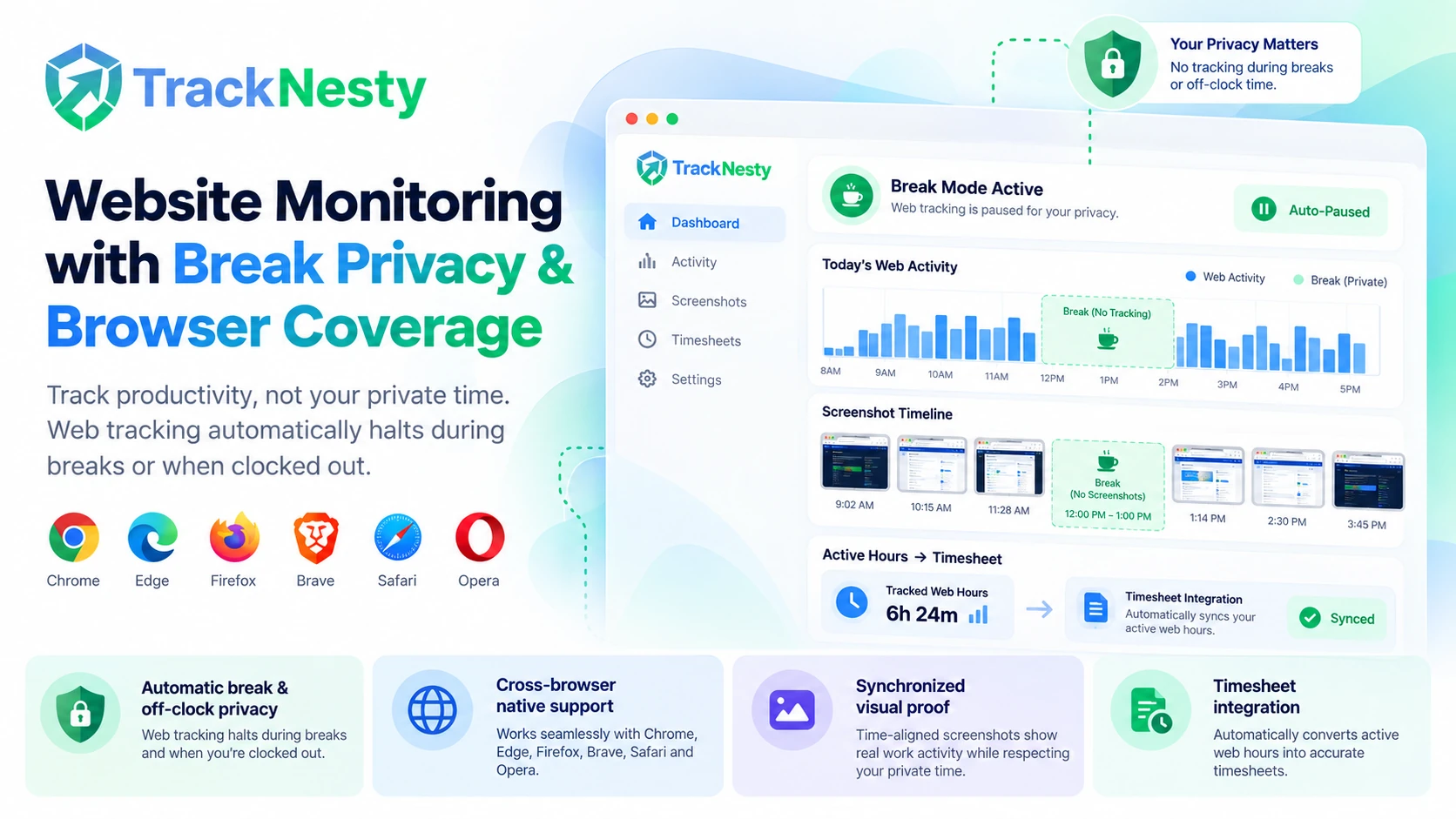
Automatic Break & Off-Clock Privacy
When employees pause for lunch or clock out with employee time tracking, web tracking halts instantly, protecting personal browsing.
Tracknesty monitors high-level web domains and page titles during company-paid work hours. We never intercept passwords, banking credentials, or personal messages. When employees pause the timer for lunch or finish their workday, all website monitoring terminates instantly.
Active Browser Tab Detection: Never Pay for 20 Open Dormant Tabs
Modern workers often keep dozens of browser tabs open in the background while coding, researching, or writing. Basic network sniffers mistakenly assume an employee is on social media simply because a background tab is open. Tracknesty only tracks the tab actively in focus.
- Active Viewport Polling: Clock time solely on the web page the user is actively scrolling and viewing.
- URL Subpath Tracking: Distinguish research docs from general homepage surfing with employee app and URL tracking.
- Zero Network Proxies: Operates entirely through client agent detection without slowing down Wi-Fi speeds.
Role-Based Productive, Neutral, and Unproductive URL Rules
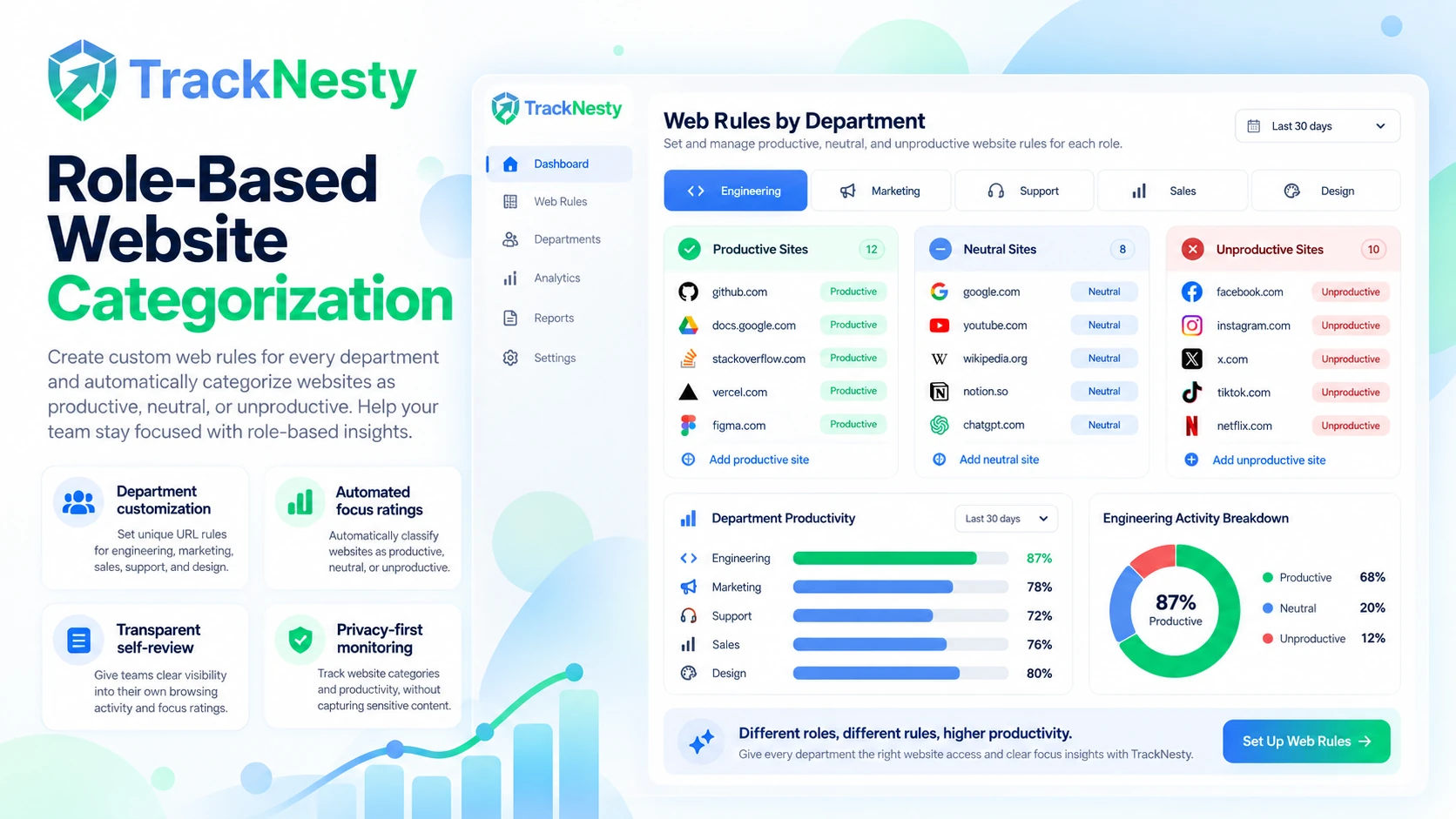
LinkedIn is essential for recruiters, GitHub is vital for developers, and Figma is standard for UI designers. Tracknesty empowers operations managers to configure customized web productivity categories by department and role.
- Department Customization: Configure distinct URL tagging rules across pods using role-based access.
- Automated Focus Ratings: Compute percentage of daily hours spent on productive URLs with employee productivity monitoring.
- Transparent Self-Review: Allow team members to review their own daily web logs to optimize personal focus.
Real-Time Distraction Insights & Web Focus Velocity Analytics
Help your team protect their deep focus blocks. Tracknesty flags excessive browsing on unproductive news portals or entertainment domains, giving managers actionable coaching data rather than arbitrary blocking.
- Idle Inactivity Detection: Automatically stop counting work time when reading stalls with idle time tracking software.
- Anti-Jiggler Protection: Ensure web activity reflects genuine human scrolling through anti-bypass protection.
- Workforce Capacity Reports: Aggregate web trends across teams inside workforce analytics.
Simple 4-Step Website Monitoring Flow
Deploy privacy-first web telemetry across Chrome, Edge, Firefox, and Brave in seconds.
Native Agent Hook
The lightweight client agent monitors foreground browser processes with zero proxy lag.
Active Tab Capture
Logs solely the active tab domain and title, ignoring all background tabs.
Policy Categorization
URLs are evaluated against department productivity rules (Productive, Neutral, Unproductive).
Tracknesty Transparent Web Tracking vs Invasive Network Sniffers
See why high-trust organizations choose Tracknesty over invasive SSL interceptors and proxy spyware.
| Web Tracking Dimension | Tracknesty Transparent Web Tracking | Invasive Network Sniffers | Basic Manual Timers |
|---|---|---|---|
| Tab Tracking Accuracy | Focused active viewport tab only | Captures every background network request | Self-reported manual web estimates |
| SSL / Credential Security | Zero MITM certificates; domain names only | Decrypts HTTPS traffic & snoops passwords | None |
| Break & Lunch Privacy | Instantly terminates when timer is paused | Continuously sniffs all network packets 24/7 | Timer paused manually |
| Role-Based Web Categorization | Granular productive/unproductive rules by role | Rigid global blocklists that frustrate staff | Manual spreadsheet categorization |
| Visual Proof Synchronization | Syncs with screenshots and live desktop stream | Raw URL lists without contextual visual proof | None |
| Browser Compatibility | Chrome, Edge, Firefox, Brave, Safari native | Requires deep OS kernel certificate injection | Browser extension only |
| Pricing | $5.00 / user / month (all features included) | $18.00 – $40.00 / user / month | $8.00 – $12.00 / user / month |
Website Monitoring Engineered for High-Trust Organizations
Learn how marketing agencies, engineering pods, and support desks deploy Tracknesty.
Track Client Ad Consoles, Analytics & Competitor Audits
Verify active billable research across Google Ads, Meta Business Manager, and CMS portals with time tracking for marketing agencies.
Quantify Technical Documentation & StackOverflow Research
Developers frequently consult web docs and API references. Measure research blocks accurately with time tracking for software development.
Monitor Help Desk Portal & Knowledge Base Engagement
Ensure agents stay focused on Zendesk, Jira Service Management, and CRM platforms with time tracking for BPO, improving ticket turnaround times.
Gain Asynchronous Visibility Across Global Workforces
Maintain operational clarity without invasive micro-surveillance. Connect worldwide staff through remote workforce software with 100% confidence.
Frequently Asked Questions About Employee Website Monitoring
Learn more about active viewport detection, break privacy, and browser compatibility.
How does employee website monitoring track web activity?
Tracknesty detects the domain and page title of the currently focused browser tab (Chrome, Edge, Firefox, Brave). Background tabs that are open but inactive do not register false work time.
Does website monitoring track browsing during lunch or breaks?
Never. The moment an employee pauses their work timer or clocks out, website monitoring completely halts. Personal browsing on lunch breaks or after hours is 100% private.
Can companies block distracting domains using Tracknesty?
Tracknesty focuses on empowering transparent visibility and accountability. Rather than rigid proxy blocking, domains are categorized into Productive, Neutral, or Unproductive, reflected in daily employee productivity monitoring dashboards.
How does website monitoring pair with screenshot verification?
Every website log is synchronized with our time tracker with screenshots, providing visual verification alongside exact URL timestamps.
Does Tracknesty track incognito or private browsing sessions?
When the employee work clock is running, active browser window titles are monitored regardless of browser mode, ensuring complete work integrity while keeping personal off-clock sessions private.
Are employee passwords, credit cards, or form data recorded?
Never. Tracknesty only logs top-level domain names and webpage titles. We do not inject browser extensions to capture keystrokes, form submissions, or confidential credentials.
Which web browsers are supported by Tracknesty?
Tracknesty natively tracks active tabs across Google Chrome, Microsoft Edge, Mozilla Firefox, Brave, Opera, and Safari without requiring complex network proxies.
How much does Tracknesty employee website monitoring cost?
Tracknesty costs $5 per user per month (or $4.17/mo billed annually) with website monitoring, app tracking, screenshot capture, and automated timesheets all included.
Start Monitoring Web Activity with Tracknesty
Gain transparent web visibility across remote and hybrid teams, benchmark online productivity, and eliminate distractions with zero setup friction.